159
Viewfinder Photography
1 Light a reference object.
Place a neutral gray or white object under the lighting that
will be used in the final photograph.
In studio settings, a
standard gray panel can be used as a reference object.
Note
that exposure is automatically increased by 1 EV when
measuring white balance; in exposure mode h, adjust
exposure so that the exposure indicator shows ±0 (0 122).
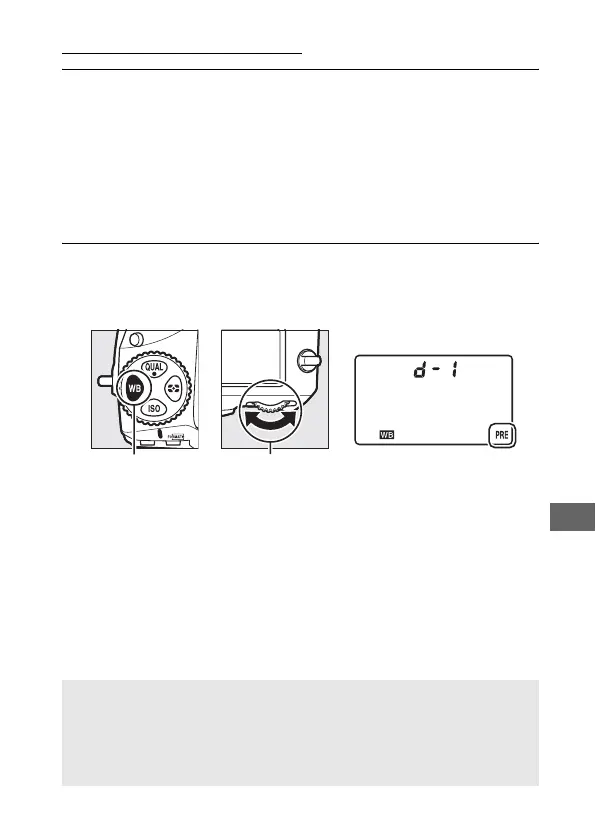
2 Set white balance to L (Preset manual).
Press the U button and rotate the main command dial until
L is displayed in the control panel.
U button Main command
dial
Control panel
A Measuring Preset Manual White Balance (Viewfinder Photography)
Preset manual white balance can not be measured while you are
shooting an HDR photograph (0 184) or multiple exposure (0 209), or
when Record movies is selected for Custom Setting g4 (Assign
shutter button, 0 364) and the live view selector is rotated to 1.



 To Next Page