134
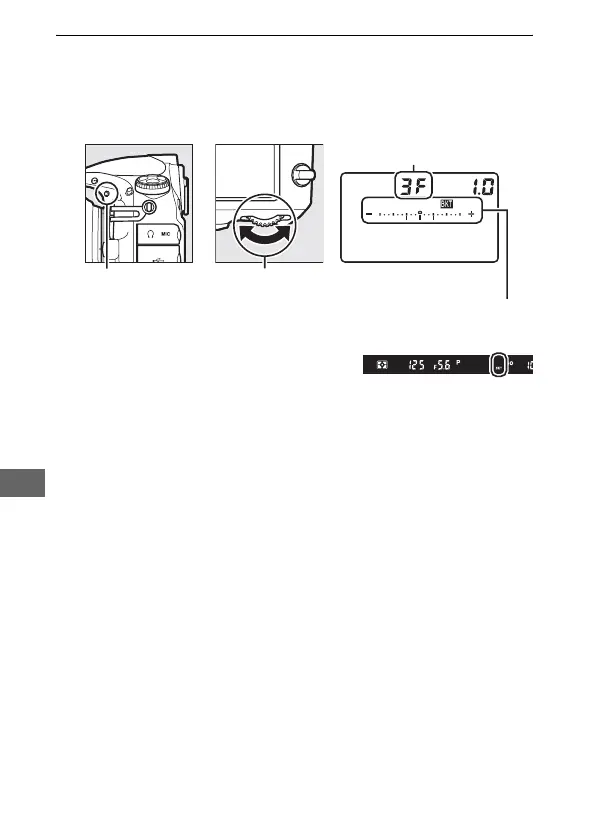
2 Choose the number of shots.
Pressing the D button, rotate the main command dial to
choose the number of shots in the bracketing sequence.
The
number of shots is shown in the control panel.
At settings other than zero, a M
icon and exposure and flash
bracketing indicator will appear in
the control panel and D will be displayed in the viewfinder.
Number of shots
Control panel
Exposure and flash
bracketing indicator
Main command
dial
D button



 To Next Page