220
❚❚ Pausing Interval Timer Photography
Interval timer photography can be paused between intervals by
pressing J or selecting Pause in the interval timer menu.
❚❚ Resuming Interval Timer Shooting
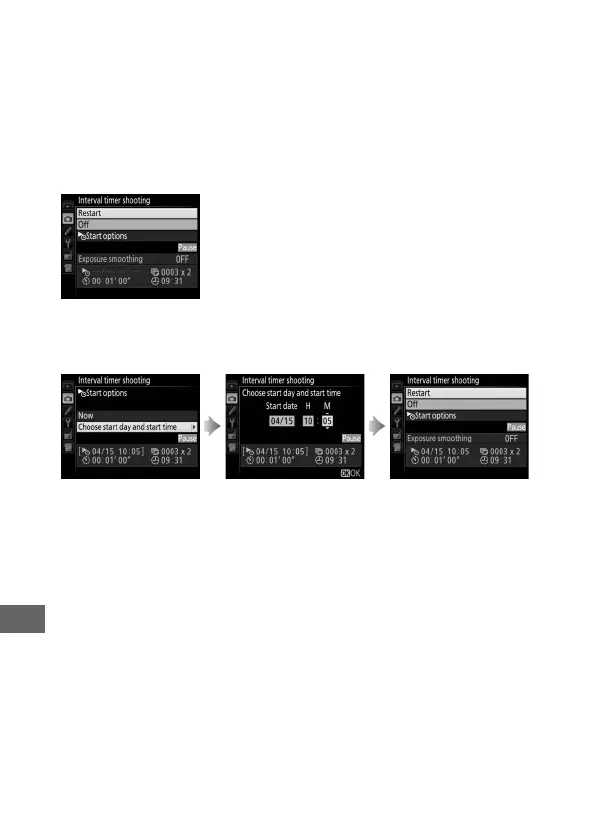
To resume shooting:
Starting Now
Starting at a Specified Time
❚❚ Ending Interval Timer Shooting
To end interval timer photography and resume normal shooting
before all the photos are taken, select Off in the interval timer
menu.
Highlight Restart and
press J.
For Start options,
highlight Choose start
day and start time
and press 2.
Choose a starting date
and time and press J.
Highlight Restart and
press J.



 To Next Page