242
A Playback Zoom
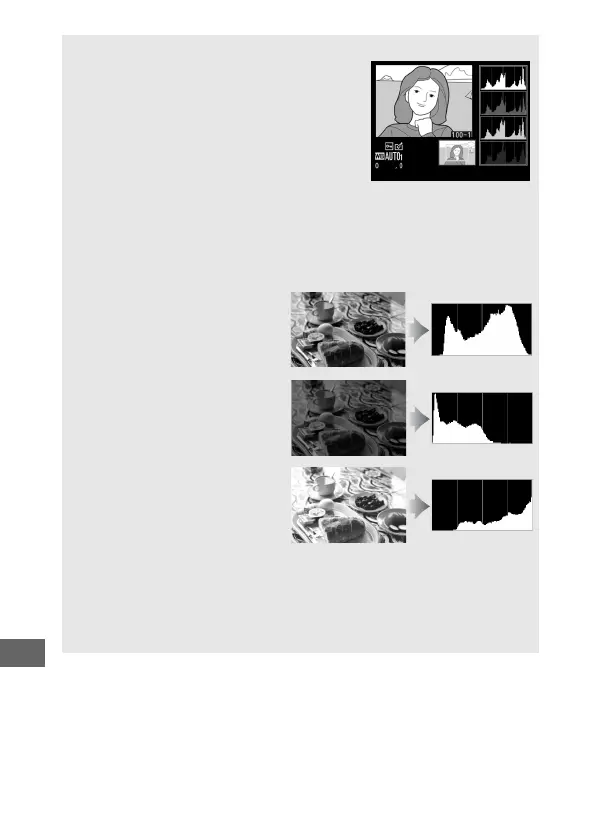
To zoom in on the photograph when the
histogram is displayed, press
X
.
Use the
X
and
W
buttons to zoom in and out and
scroll the image with the multi selector.
The
histogram will be updated to show only the
data for the portion of the image visible in
the monitor.
A Histograms
Camera histograms are intended as a guide only and may differ from
those displayed in imaging applications.
Some sample histograms are
shown below:
If the image contains objects
with a wide range of
brightnesses, the distribution
of tones will be relatively even.
If the image is dark, tone
distribution will be shifted to
the left.
If the image is bright, tone
distribution will be shifted to
the right.
Increasing exposure compensation shifts the distribution of tones to
the right, while decreasing exposure compensation shifts the
distribution to the left.
Histograms can provide a rough idea of overall
exposure when bright ambient lighting makes it difficult to see
photographs in the monitor.



 To Next Page