285
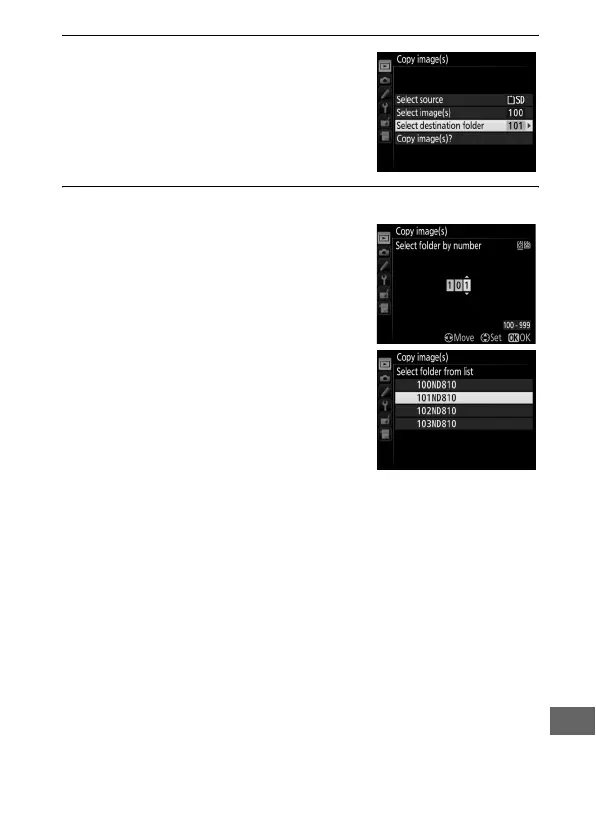
7 Choose Select destination folder.
Highlight Select destination folder
and press 2.
8 Select a destination folder.
To enter a folder number, choose
Select folder by number, enter the
number (0 293), and press J.
To choose from a list of existing
folders, choose Select folder from
list, highlight a folder, and press J.



 To Next Page