14
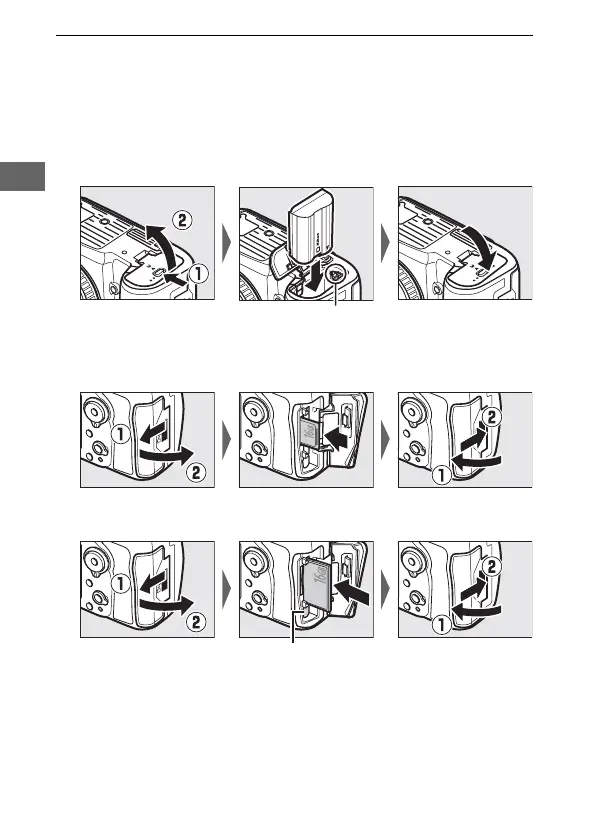
3 Insert the battery and a memory card.
Before inserting or removing the battery or memory cards,
confirm that power switch is in the OFF position.
Insert the
battery in the orientation shown, using the battery to keep
the orange battery latch pressed to one side.
The latch locks
the battery in place when the battery is fully inserted.
Memory cards are inserted as shown below.
• SD memory cards: Slide the card in until it clicks into place.
• CompactFlash memory cards: Slide the card in, stopping when
the eject button pops up.
Battery latch
Eject button



 To Next Page