422
• PF-4 Reprocopy Outfit requires PA-4 Camera Holder.
• Noise in the form of lines may appear during autofocus at high ISO
sensitivities.
Use manual focus or focus lock.
Lines may also appear at
high ISO sensitivities when aperture is adjusted during movie
recording or live view photography.
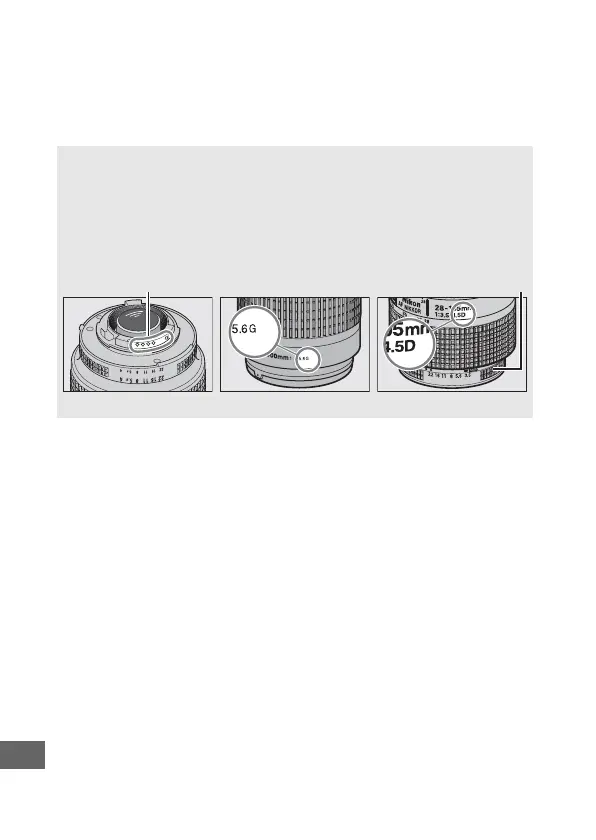
A Recognizing CPU and Type G, E, and D Lenses
CPU lenses (particularly types G, E, and D) are recommended, but note
that IX-NIKKOR lenses can not be used.
CPU lenses can be identified by
the presence of CPU contacts, type G, E, and D lenses by a letter on the
lens barrel.
Type G and E lenses are not equipped with a lens aperture
ring.
CPU contacts Aperture ring
CPU lens Type G/E lens Type D lens



 To Next Page