110 Chapter 3 Configuring Remote Network Monitoring (RMON)
Alarm Manager
Note: The example alarm described in the following procedure
generates at least one alarm every five minutes. The example is
intended only to demonstrate how alarms fire; it is not a useful alar m.
Creating an Alarm
To create an alarm to receive statistics and history using default values:
Step Action
1
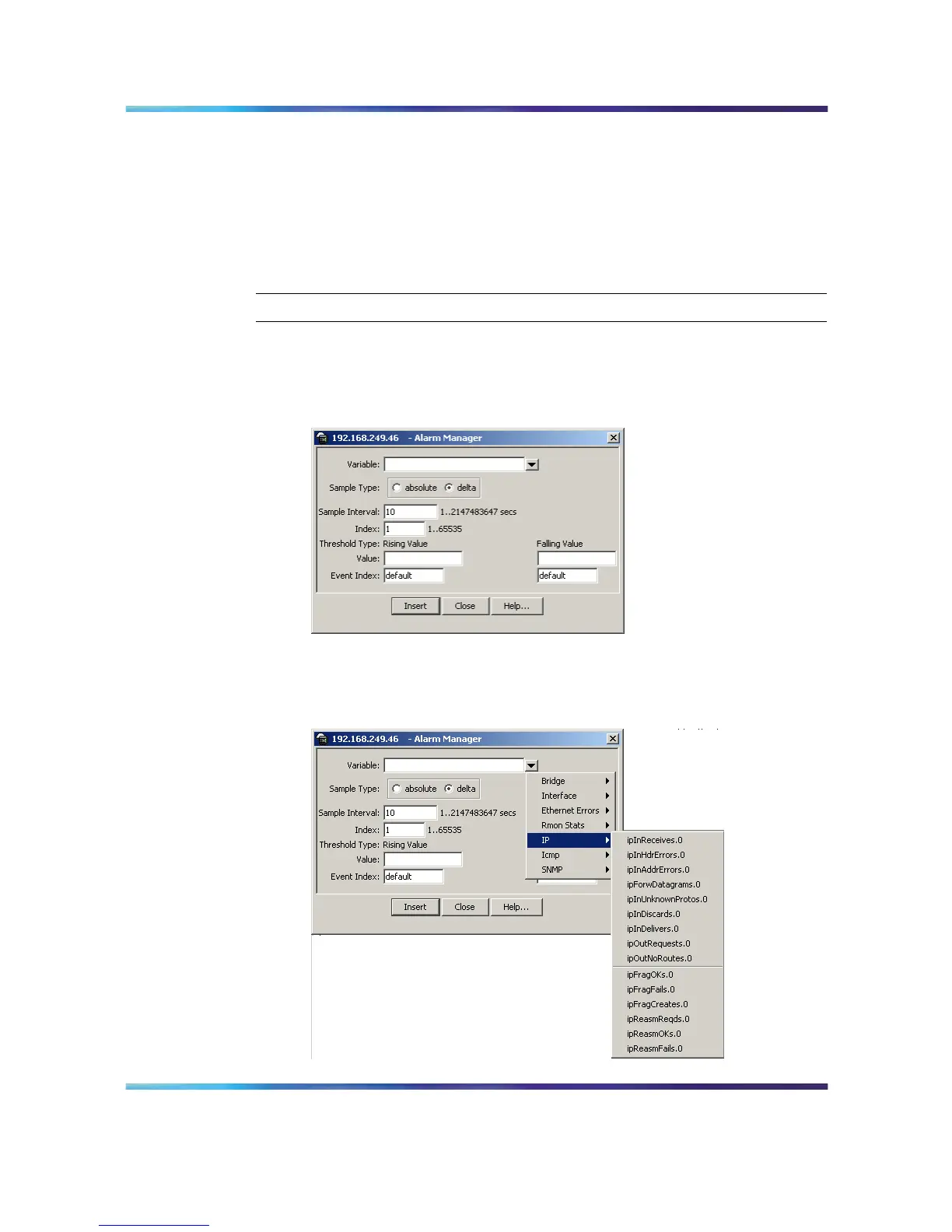
Open the Alarm Manager screen by selecting Serviceability >
RMON > Alarm Manager from the menu. This screen is illustrated
below.
Alarm Manager screen
2
In the Variable field, select a variable and a port (or other ID) from
the list to set the alarm on below.
Alarm Manager Variable List
Nortel Ethernet Routing Switch 5500 Series
Configuration - System Monitor ing
NN47200-505 03.01 Standard
5.1 27 August 2007
Copyright © 2005 - 2007, Nortel Networks
.















 To Next Page