98 Chapter 3 Configuring Remote Network Monitoring (RMON)
a. From the shortcut menu, choose Graph.
b. Select Graph > Port from the menu.
c. On the toolbar, click the Graph button.
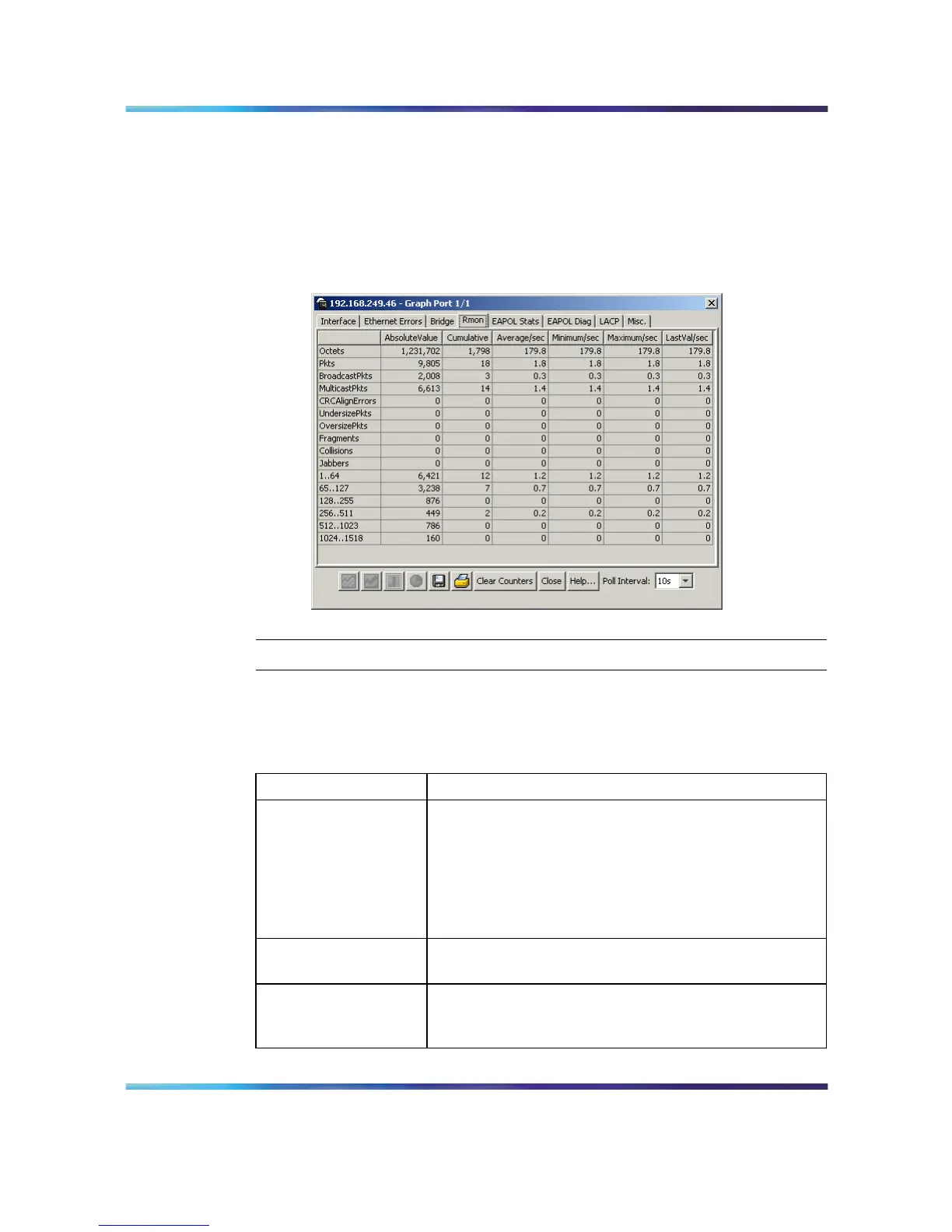
3 The Graph Port screen opens. Click the RMON tab. This tab is
illustrated below.
Graph Port screen - RMON tab
—End—
The following table describes the fields on the RMON tab.
Graph Port screen - RMON tab
Field Descriptions
Octets The total number of octets of data (including those
in bad packets) received on the network (excluding
framing bits but including FCS octets). You can use this
object as a reasonable estimate of Ethernet utilization.
For greater precision, sample the etherStatsPkts and
etherStatsOctets objects before and after a common
interval.
Pkts The total number of packets (including bad packets,
broadcast packets, and multicast packets) received.
BroadcastPkts The total number of good packets received that were
directed to the broadcast address. Note that this does
not include multicast packets.
Nortel Ethernet Routing Switch 5500 Series
Configuration - System Monitor ing
NN47200-505 03.01 Standard
5.1 27 August 2007
Copyright © 2005 - 2007, Nortel Networks
.















 To Next Page