Diagnostic information in the Web-based Management Interface 77
Diagnostic information in the Web-based Management Interface
The procedures detailed in this section enable the viewing of diagnostic and
statistical information through the Web-based Management Interface.
Viewing port statistics (Web)
To view statistical data about a selected port, perform the following task:
Step Action
1
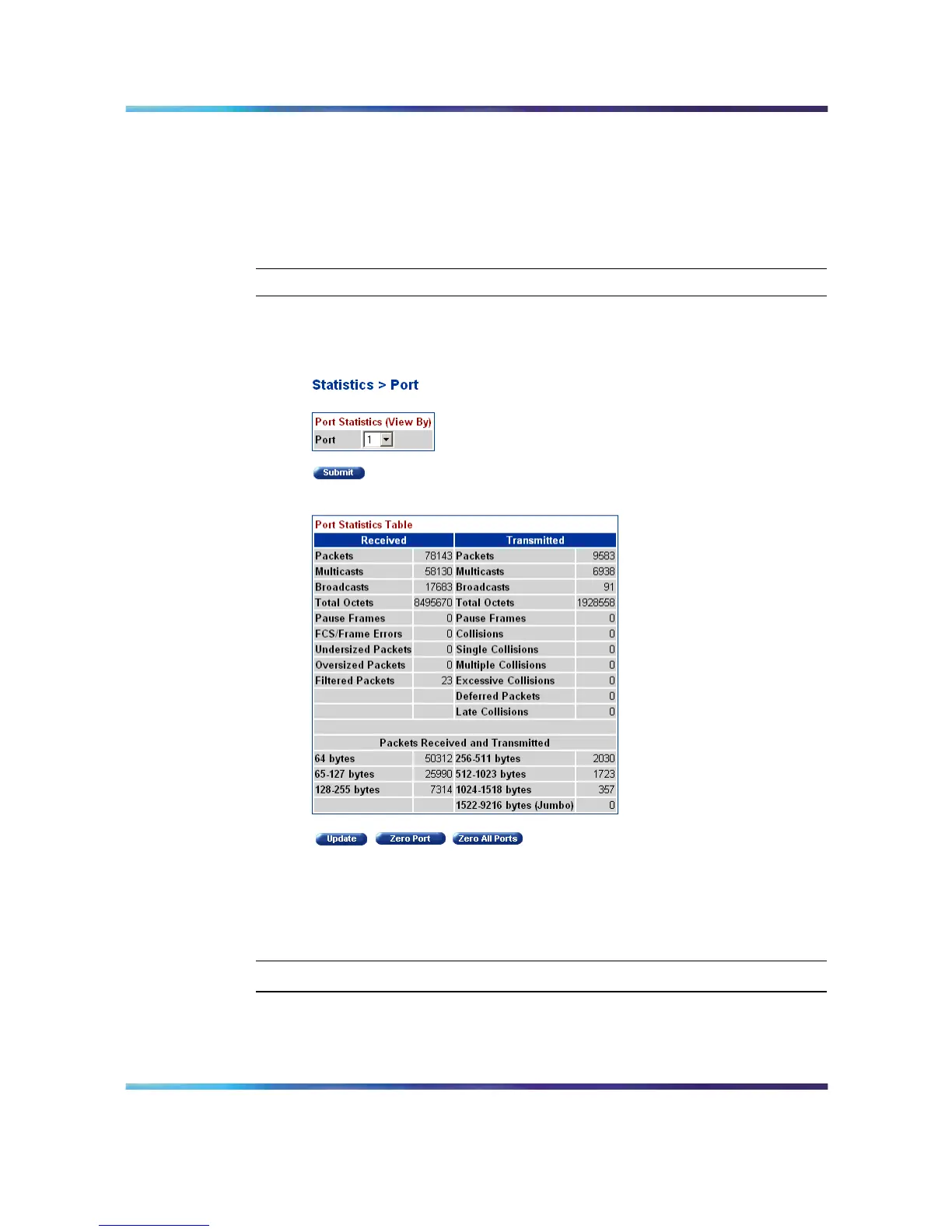
Open the Port Statistics screen by selecting Statistics > Port from
the menu. This screen is illustrated below.
Port Statistics screen
2
Select a port from the Port list in the Port Statistics (View By)
section.
3
Click Submit.
—End—
Port statistics are displayed in the Port Statistics Table section. The
following table describes the fields in this section.
Nortel Ethernet Routing Switch 5500 Series
Configuration - System Monitor ing
NN47200-505 03.01 Standard
5.1 27 August 2007
Copyright © 2005 - 2007, Nortel Networks
.















 To Next Page