68 Chapter 1 General System Monitoring Considerations
—End—
Graphing VLAN DHCP statistics
To create a graph of VLAN DHCP configuration, follow this procedure:
Step Action
1
Open the VLANs screen by selecting VLAN > VLANs from the menu.
2
Select the desired VLAN.
3
Click IP. The IP VLAN screen opens with the IP Address tab
selected.
4
Click the DHCP tab.
5
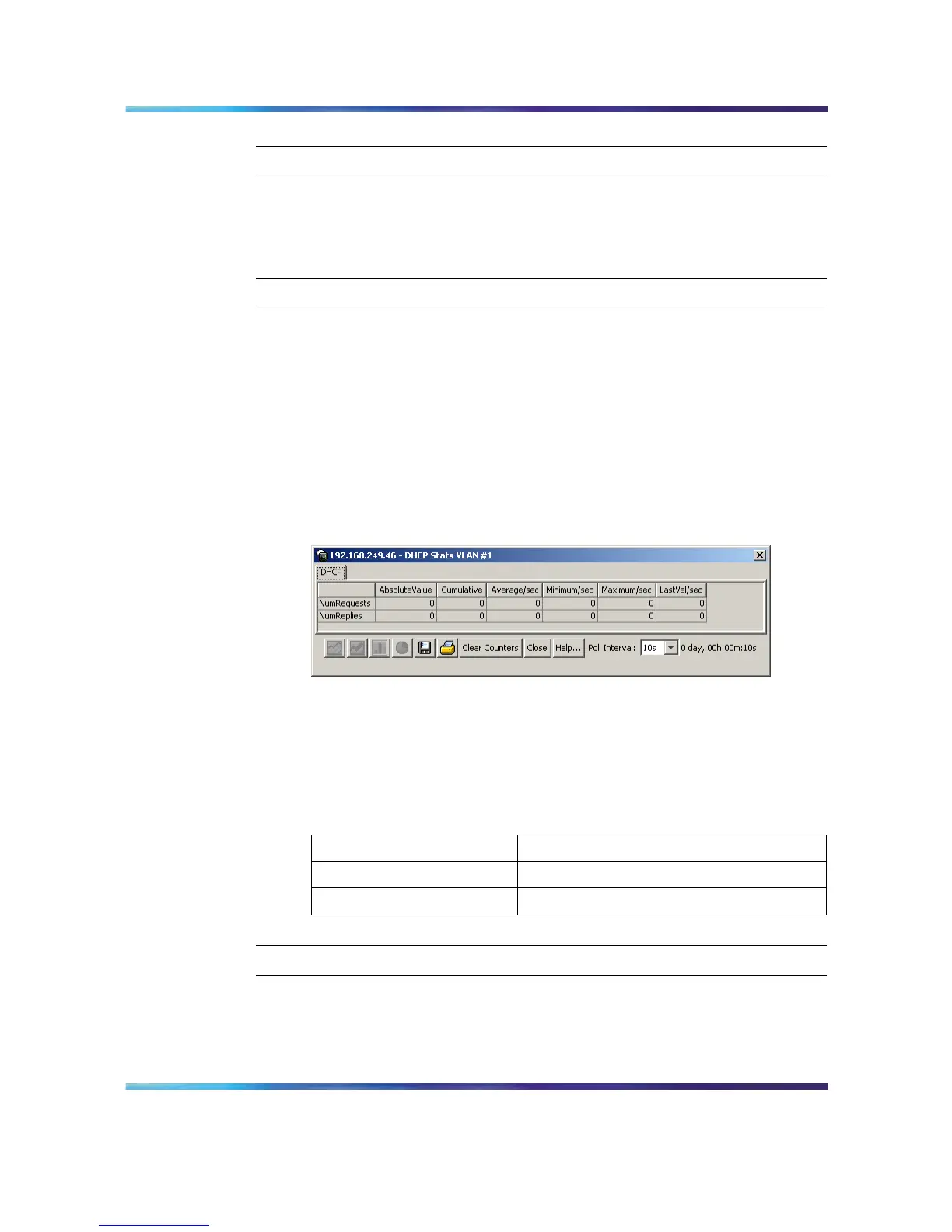
Click Graph. The DHCP Stats screen opens. This screen is
illustrated in below.
DHCP Stats screen
6
Highlight the required data and click on the type of graph to produce.
For a detailed explanation of graph creation, refer to "Creating a
graph" (page 69).
The following table explains the fields found on this screen.
DHCP Stats screen fields
Field Description
NumRequests The number of DHCP requests handled.
NumReplies The number of DHCP replies handled.
—End—
Nortel Ethernet Routing Switch 5500 Series
Configuration - System Monitor ing
NN47200-505 03.01 Standard
5.1 27 August 2007
Copyright © 2005 - 2007, Nortel Networks
.














 To Next Page