Graphing switch port data 55
Field Description
511..1023
The total number of packets (including bad
packets) received that were between 511 and
1023 octets in length (excluding framing bits but
including FCS octets).
1024..1518
The total number of packets (including bad
packets) received that were between 1024 and
1518 octets in length (excluding framing bits but
including FCS octets).
—End—
EAPOL Stats tab
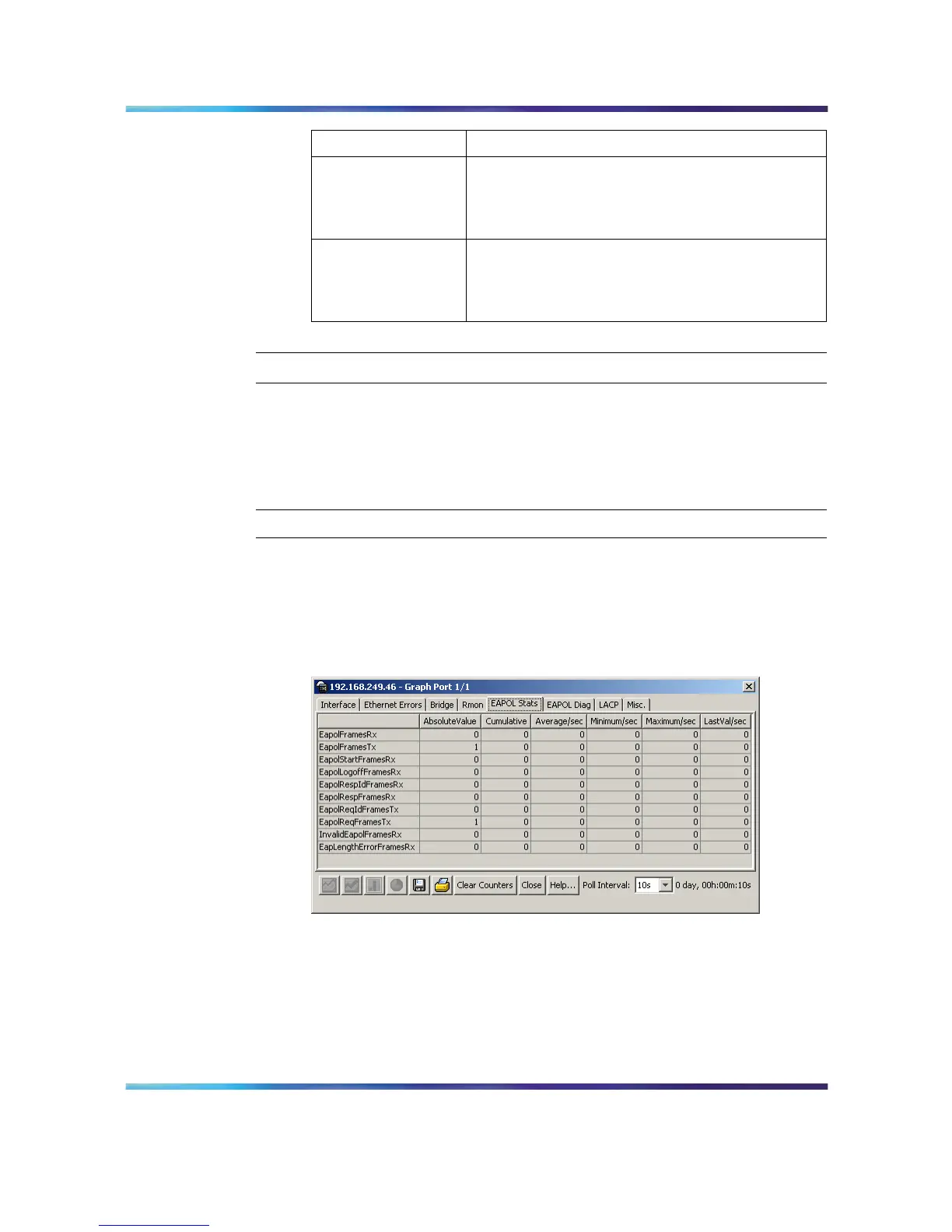
The EAPOL Stats tab displays read-only EAPOL statistics.
To open the EAPOL Stats tab, follow this procedure:
Step Action
1 Open the Graph Port screen by selecting one or multiple ports on
the Device View and then selecting Graph > Por t from the menu.
The Graph Port screen opens.
2
Select the EAPOL Stats tab. This tab is illustrated below.
Graph Port screen - EAPOL Stats tab
3
The following table describes the fields on this tab.
Nortel Ethernet Routing Switch 5500 Series
Configuration - System Monitor ing
NN47200-505 03.01 Standard
5.1 27 August 2007
Copyright © 2005 - 2007, Nortel Networks
.














 To Next Page