76 Chapter 2 System Diagnostics and Statistics
Displaying stack monitor configuration parameters values
Use the show stack-monitor command to display the current
configuration values for the stack monitor.
Parameter Description
Status Enabled or disabled.
Stack size Number of units in the stack <2-8>. Default value is 2.
Trap interval Number of seconds between traps <3-300>. Default value is 60
seconds if there are 2 units in the stack.
Configuring stack monitor parameters
Use the config stack-monitor command to configure the stack
monitor.
Configuring stack monitor parameters
Parameter Description
enable/disable Enable or disable stack monitoring
stack-size Set stack size to be monitored <2-8>
trap-interval Set interval between traps (seconds) <3-300>
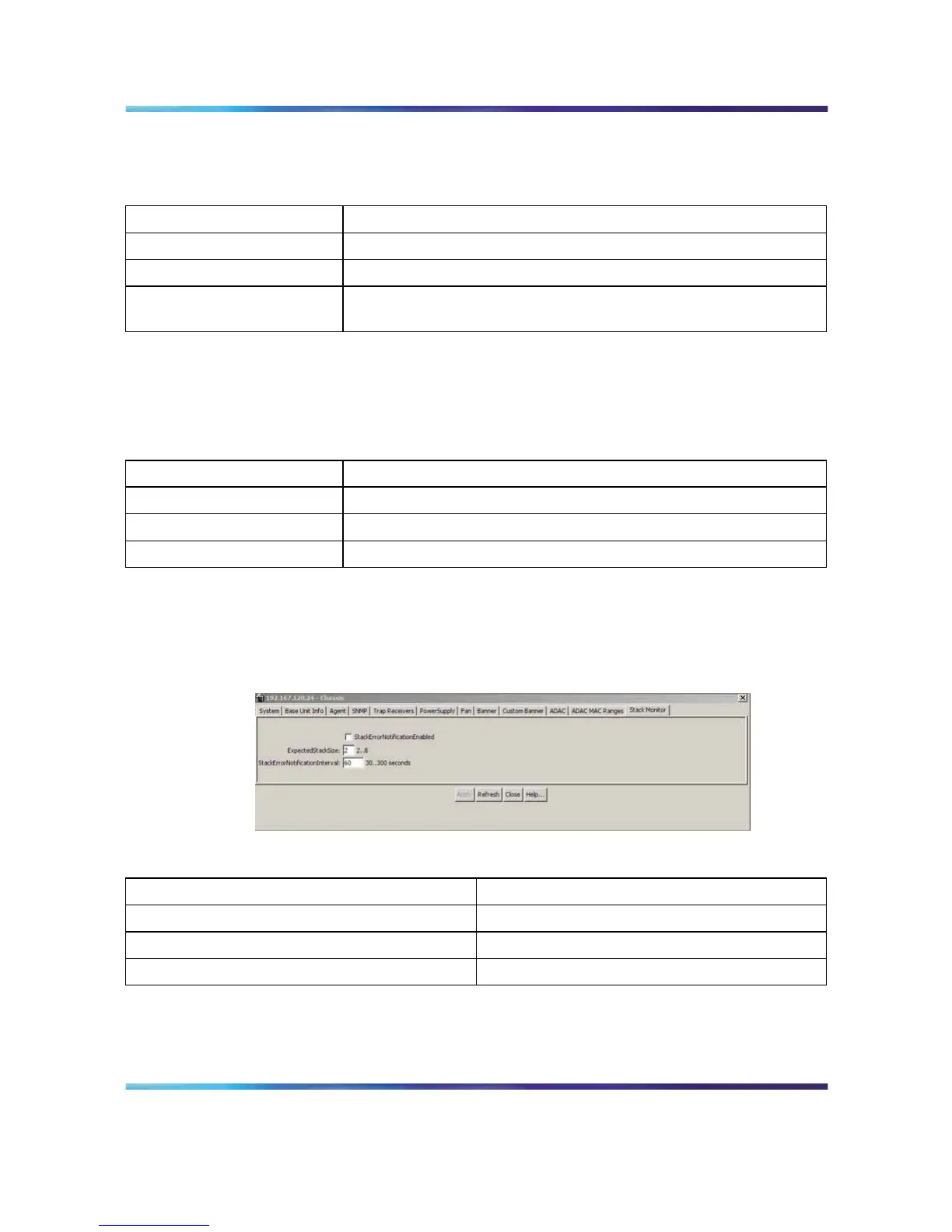
Configuring stack monitor parameters with the JDM
To configure stack monitor parameters with the JDM, click Edit > Chassis >
Stack Monitor.
Configuring the stack monitor with the JDM
Configuring stack monitor parameters
Parameter Description
StackErrorNotificationEnabled Enable or disable stack monitoring
ExpectedStackSize Set stack size to be monitored <2-8>
StackErrorNotificationInterval Set interval between traps (seconds) <3-300>
Click Apply to apply new settings.
Nortel Ethernet Routing Switch 5500 Series
Configuration - System Monitor ing
NN47200-505 03.01 Standard
5.1 27 August 2007
Copyright © 2005 - 2007, Nortel Networks
.















 To Next Page