APPENDIX A
PLC CONTROLLER
A - 5
Automatic Operation
In the Auto Run screen, the current job and progress are displayed. Press the Start button
to begin running the job. When the current job is complete the next job will start if the No
button for pause was pressed for the current job. If the Yes button was pressed for pause
or if there is no next job programmed, the controller will return to the Job Entry screen
after the current job is completed.
On the Fly Calibration
The controller can be calibrated at any time while the machine is running to improve
accuracy of the parts being run. If the machine is consistently making parts too short or
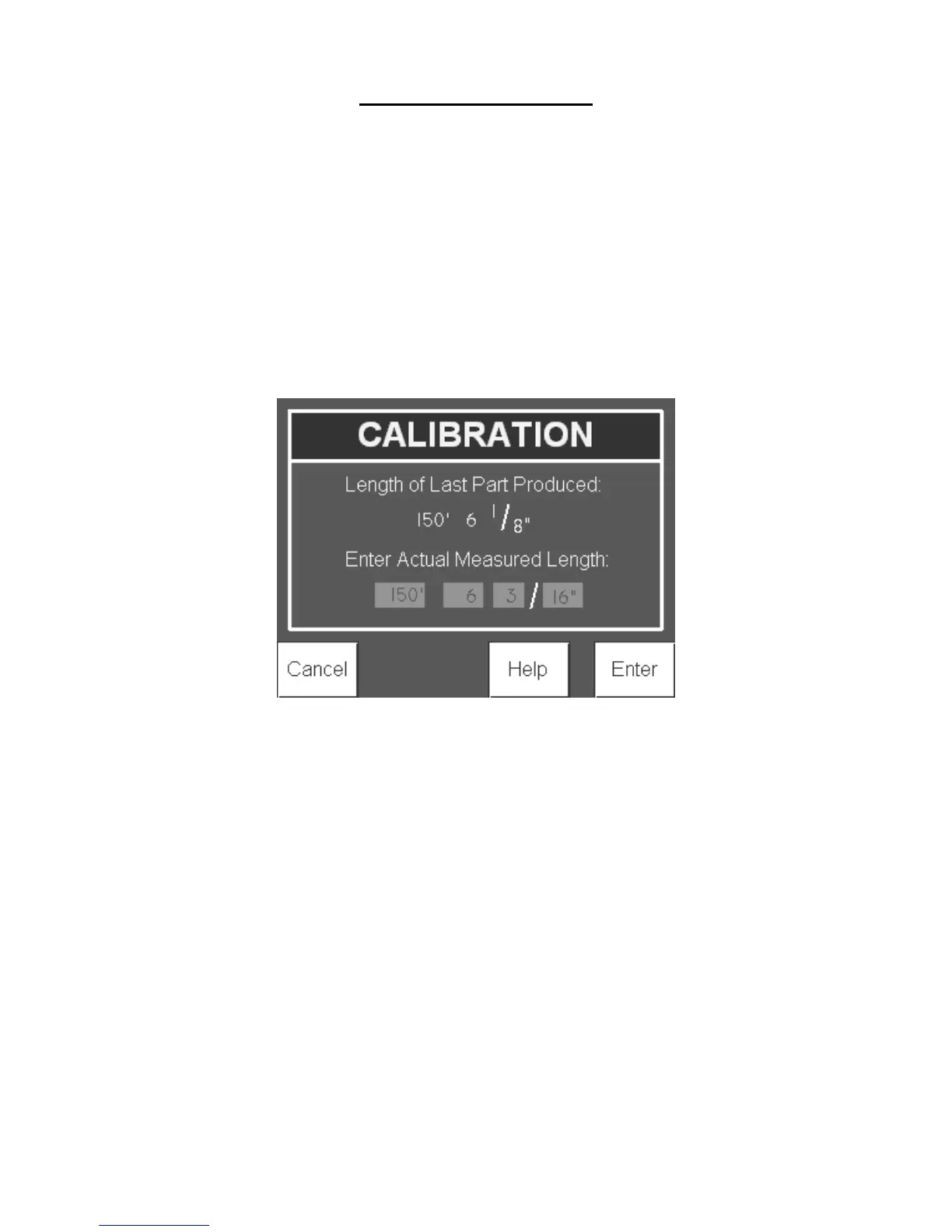
too long, press Stop & Calibrate to bring up the Calibration screen.
Figure 91: Calibration Screen
The length of the last part will automatically populate to the length that the controller
‘thought’ was run. Measure the length of the part, enter in the actual measured length and
press Enter to re-calibrate the controller. Or press cancel to return to the Auto-Run
screen. Press Start on the Auto-Run screen to continue operation.
Calibration
The controller can also be calibrated from the Home screen by pressing the Calibrate
button. On the calibration screen, enter in the desired part length to use to calibrate the
controller. A length of over 12” is required and a length of 36” or more is recommended.
Press the Start button to run the specified part.


 To Next Page