APPENDIX A
PLC CONTROLLER
A - 8
The Status 1 screen shows the condition of the Hydraulic Pressure Switch and the Top of
Stroke Limit Switch. If one or both of the TOS Shear Limit Switches are not activated
the TOS Shear Limit Switch light will be on. Refer to the Shear section in the machine
manual for limit switch adjustment.
If the motor is not on or if the pressure switch is not activated then the Hydraulic Motor
light will be on.
The Status screen lists the Encoder Wheel Circumference. This value is changed
automatically when the controller is calibrated. The Stop Reaction Distance is also
automatically changed by the controller as the machine runs. In order to reset these
values, press the Restore Defaults button. NOTE: Calibration should be initiated
following the defaults restore. The Total Material Ran through the machine with the
controller on is shown on this screen. The Total Material Ran can be reset by pressing
the Reset button. If the security is turned on, the password will be required to reset the
Total Material Ran.
Press Back to return to the Setup Screen.
Security:
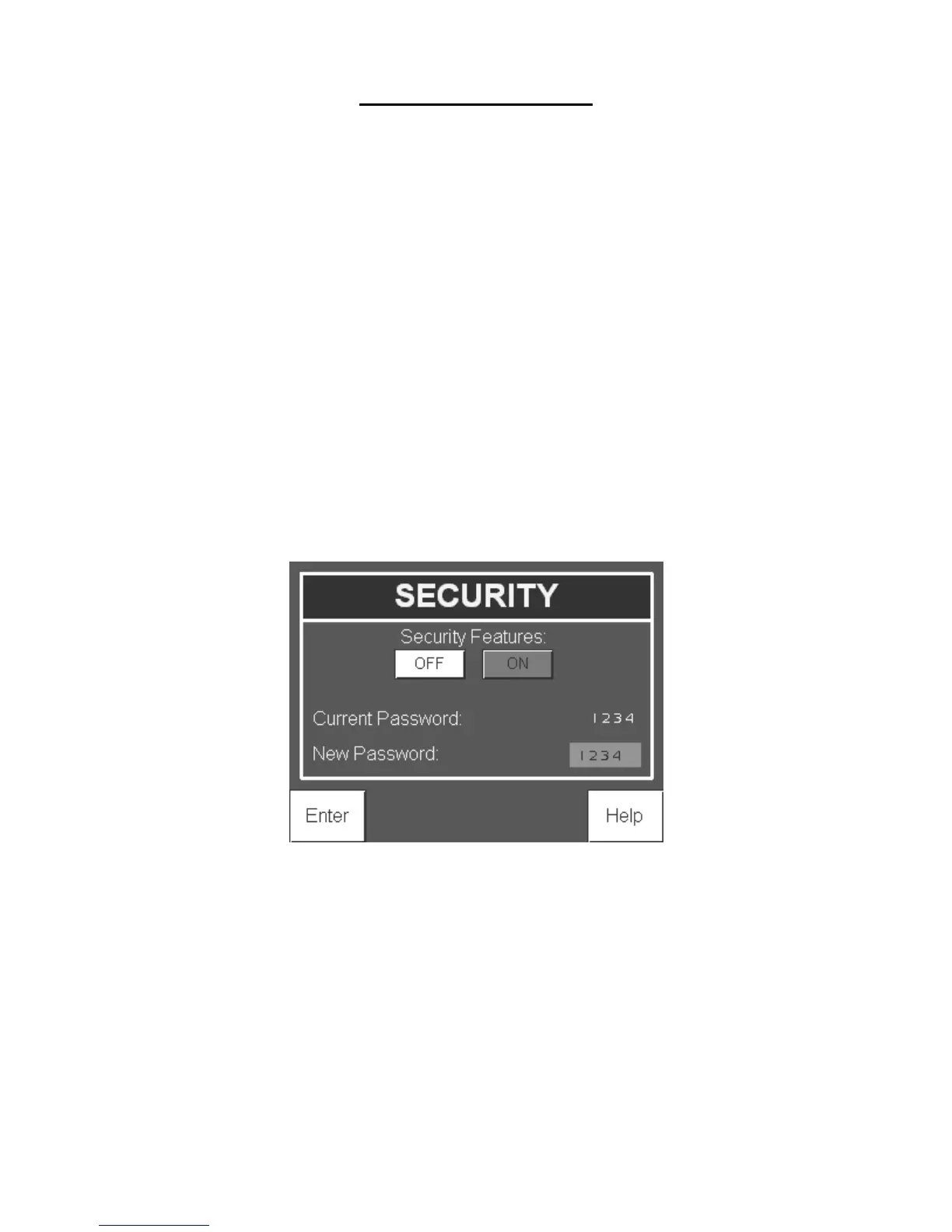
From the Setup screen press the Security Settings button to enter the security screen. The
default password is: 1234.
Figure 96: Security Screen
If the security is turned on, the password will be required to change the stored coil
lengths and colors or to reset the Total Material Ran value (totalizer). If security is turned
off, no password is needed to make changes to these values. With security turned off the
Security screen displays the current password which can be changed by entering a new
password and pressing the enter button. Once this is done, the new password will be
needed to make any changes to the coil lengths and colors or to reset the Total Material
Ran.


 To Next Page