CHAPTER 19
TROUBLESHOOTING
91
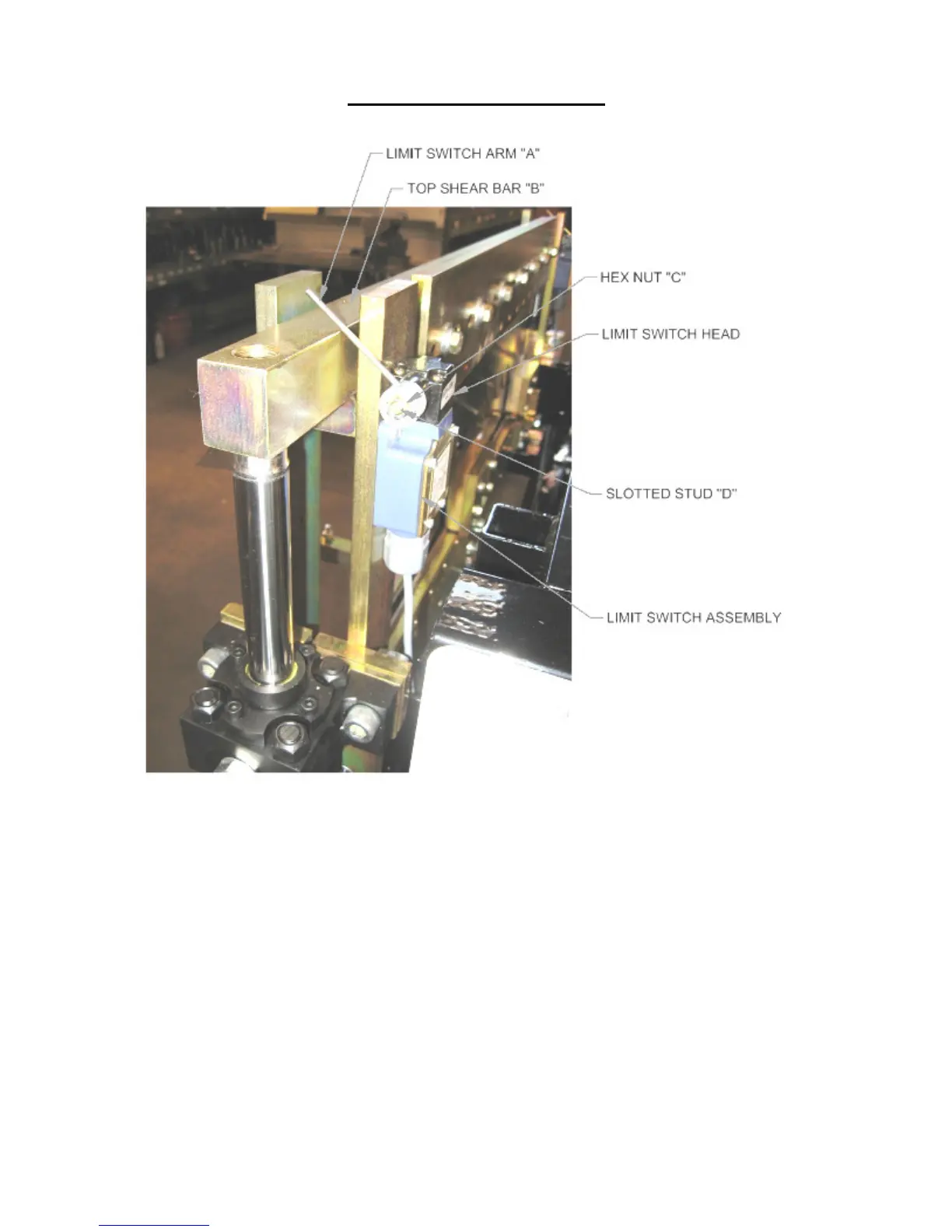
Figure 84: Limit Switch Adjustment
4. After making a cut, the male or female leg of the next panel gets caught on the
exit shear die and damages the panel.
SOLUTION: This problem normally shows up after making a roller system/shear
die change. The entry dies both male and female should be as close to the
vertical leg of the panel as possible without touching. Once this is
achieved, the exit die should be set just outside the vertical leg of the entry
die so that as the fresh cut edge of the panel passes by the exit die it
doesn’t getting caught (Figure 58 on page 62).
5. The male and or female leg gets crushed when shearing.
SOLUTION #1: Check the Shear Blades directly over the male and female legs
to make sure that the points of the blades are in the correct position
(Figure 19 & Figure 20 on page 31).


 To Next Page