CHAPTER 15
PROFILE CHANGEOVER PROCEDURE
57
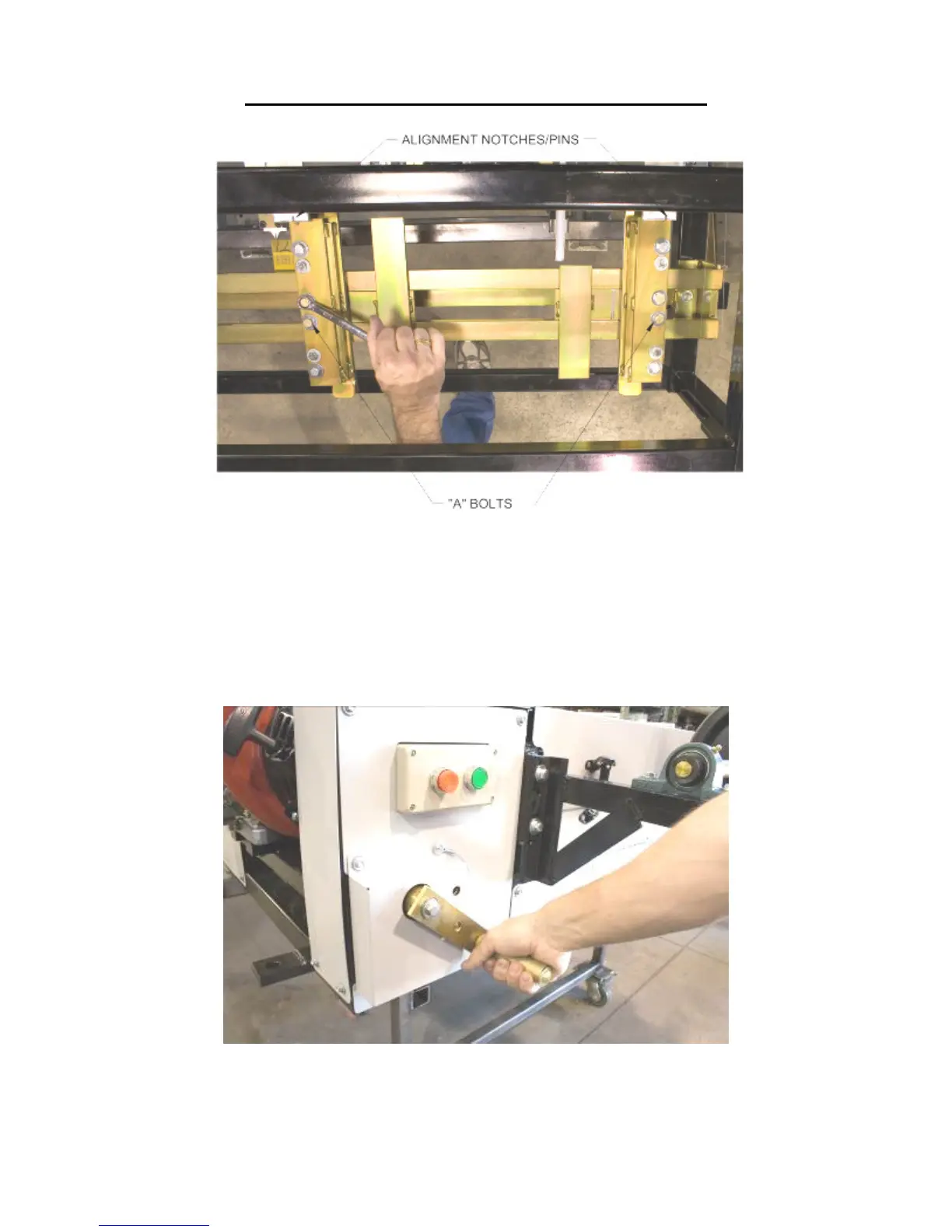
Figure 50: Entry Guide Alignment Notches and Pins
13. Using the Tooling Rail Adjustment Handle (Figure 51), align the notch on the
tooling rail marker plate to the alignment pin (Figure 25 on page 38) located in
the Left Entry Guide. Make sure to choose the notch that corresponds to the
desired leg configuration as noted on the decal on the marker plate. Turning the
handle clockwise moves the tooling out-ward, turning it counter-clockwise moves
move it in-ward.
Figure 51: Tooling Rail Adjustment Handle
14. Load material onto the Expandable Arbor and align it to the correct position
(Figure 10).


 To Next Page