APPENDIX A
PLC CONTROLLER
A - 10
Example:
The controller is set to run a black coil designated as Coil #2 and
the user changes to a white coil designated by Coil #1. From the
Home screen, press the Coils button which will bring up the Coil
#2 information. Press the Coil #1 button and then the Home
button.
If the remaining length reads negative then the machine has tracked more material than
the purchased length.
Example:
If a purchased length of 100’ is input into the controller then 115’
of material is ran through the machine before the coil is gone, the
controller will read a remaining length of -15’.
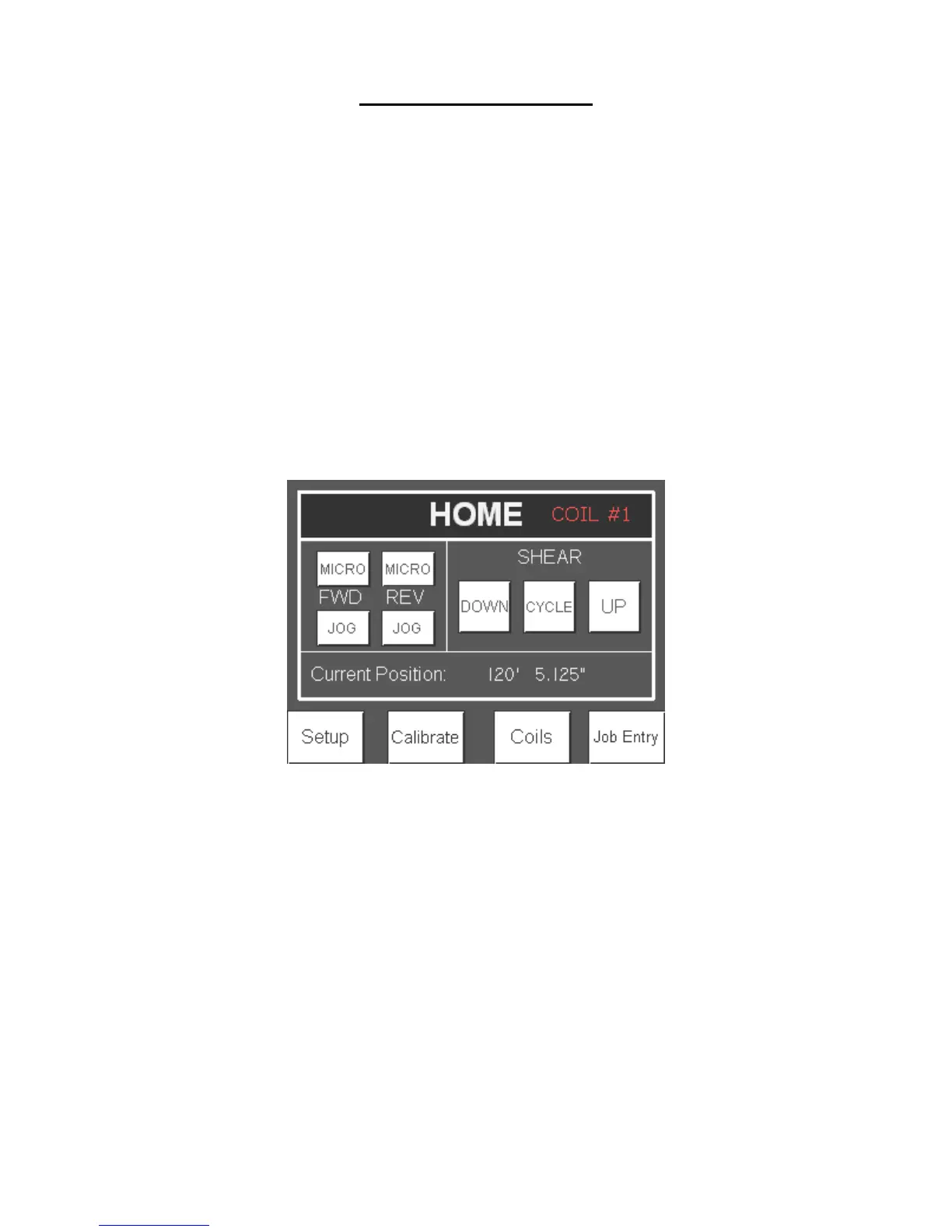
There is an indicator on the top right of the Home screen that indicates which coil is
being tracked.
Figure 99: Coil Indicator
Colors
Press the Change Color button to select the color of the coil. Press the Cancel button to
avoid changing the color of the coil.


 To Next Page