124 Océ TDS400 User Manual
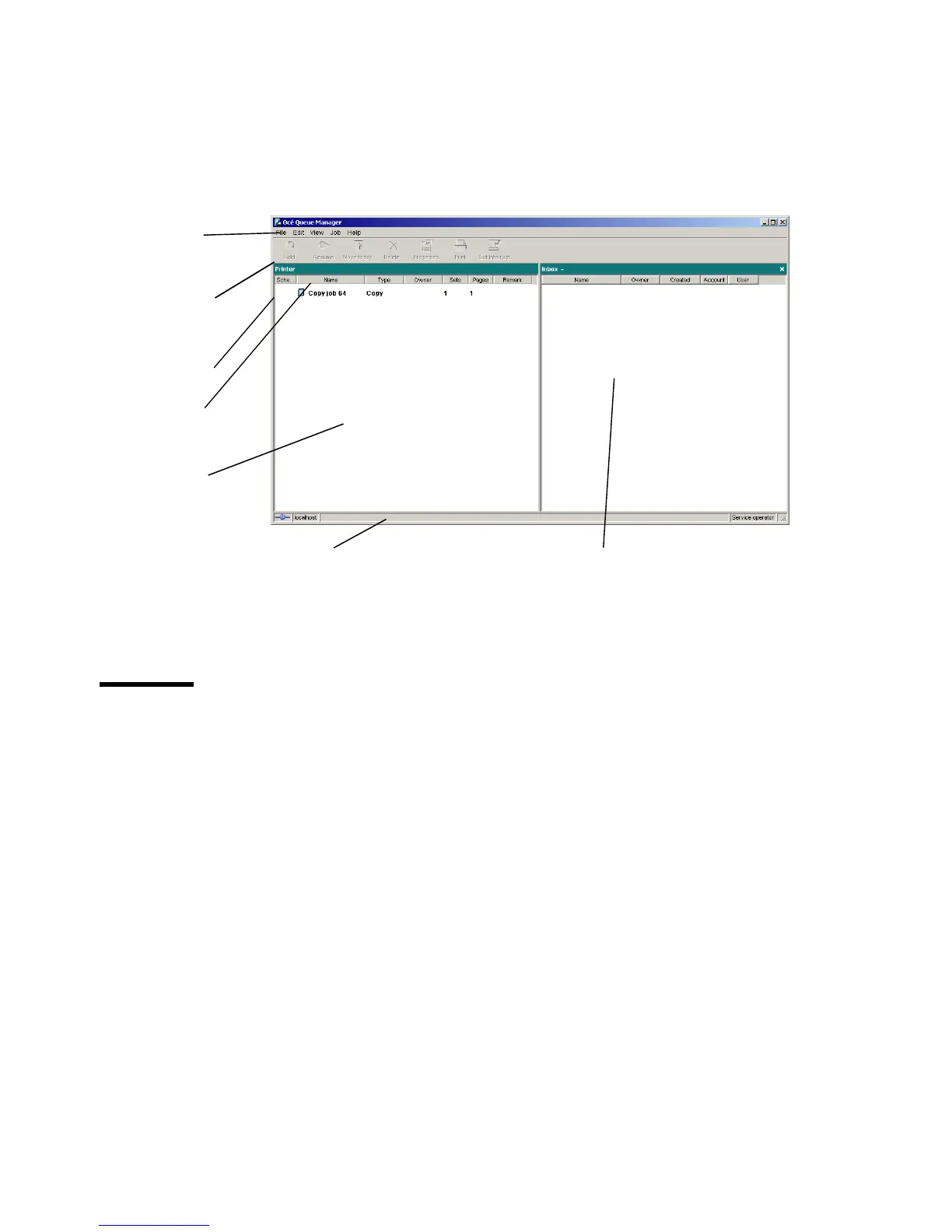
You can resize the columns in the main queue window by dragging the table
header separators. It is also possible to change the order of the columns by
dragging a specific column to a new position.
Note: You can sort the inbox and history. You can not sort the printer queue.
[43] Océ Queue Manager window
Modes
The Océ TDS400 Queue Manager has the following modes:
■ Anonymous user mode
■ Repro operator mode
■ Key operator mode
■ System administrator mode
■ Service operator mode
These different modes are designed to limit access to the specific functions to
authorized users only.
The anonymous user mode only offers view access to the queue. In this mode
the buttons and menu items are disabled.
The repro operator, the key operator and the system administrator modes allow
you to perform a number of activities on the jobs in the queue, with the help of
menu bar
active print job
window
header
separator
print queue
status bar
inbox queue
tool bar



 To Next Page