The folder 203
Belt unit
A belt unit offers a large capacity and more flexibility. On the belt unit up to
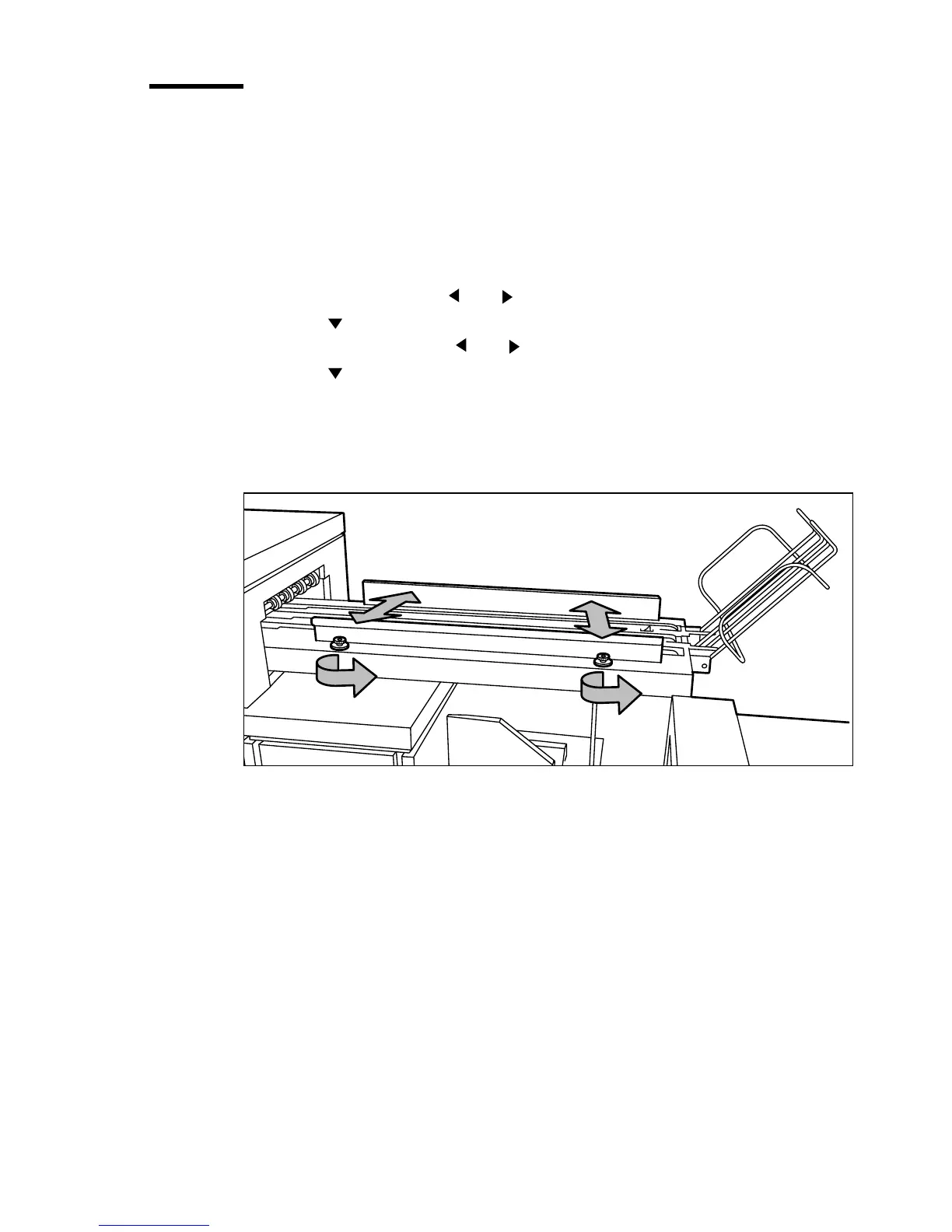
75 A0 prints can be delivered offset stacked. You can adjust the side guides of
the belt, depending on the width of the folded package.
▼ Set the belt as folded output delivery
1
Press the On-line key on the printer operator panel.
2 Select ‘Folding’ with the or key.
3 Press the key to enter the ‘Folding’ menu.
4 Select ‘Delivery’ with the or key.
5 Press the key to enter the ‘Delivery’ menu.
6 Select ‘Belt’.
▼ Adjusting the side guides of the belt
1
Loosen the nuts (see Figure 124).
[124] Adjusting the side guides of the belt
2 Adjust the plate in accordance with the width of the fold package.
3 Tighten the nuts.



 To Next Page