The folder 197
The Océ TDS400 folder settings
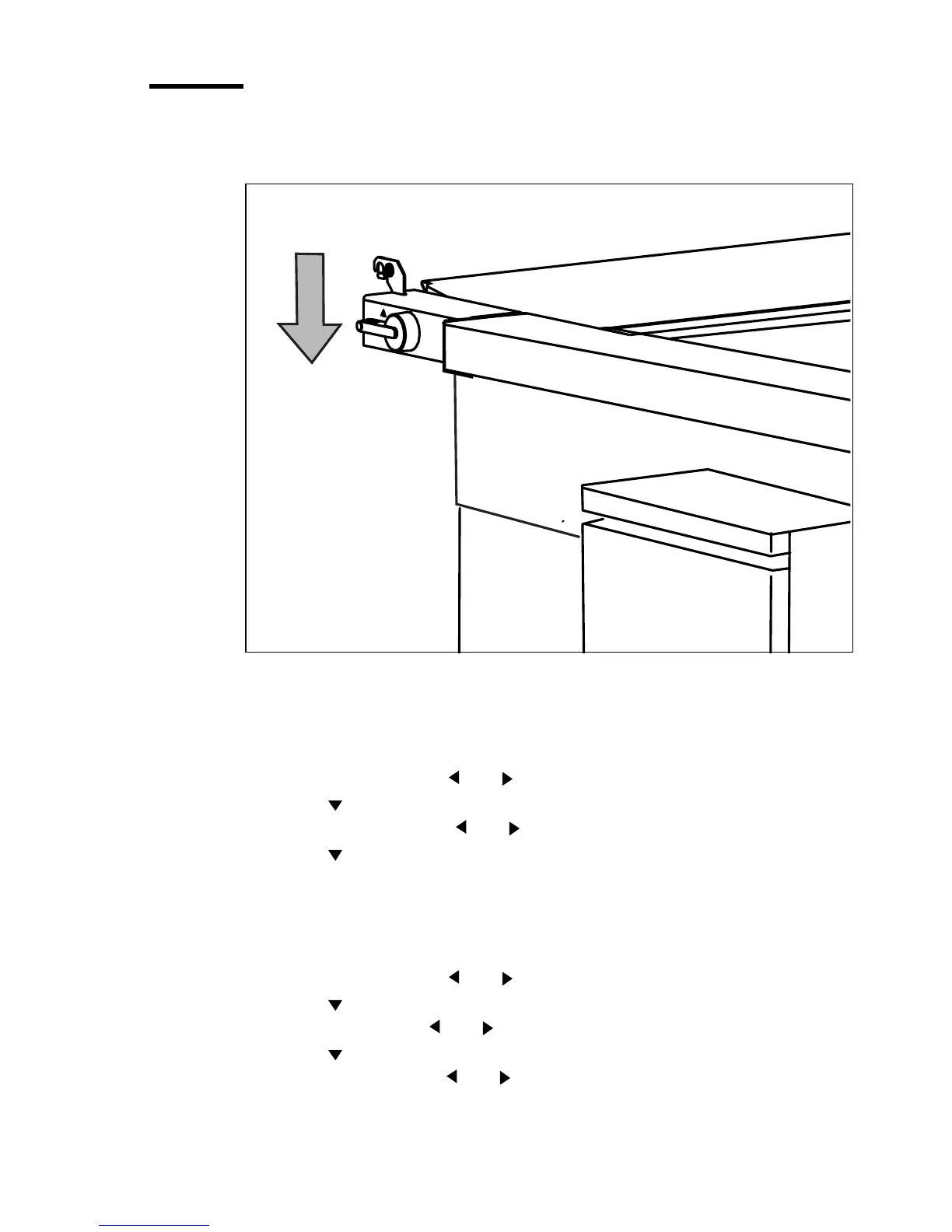
Note: Before you use the folder, switch the lever downward (see Figure 121).
When you want to use the integrated receiving tray, switch the lever upward.
[121] To fold, switch the lever downward
▼ Set the folded output delivery
1
Press the On-line key on the printer operator panel.
2 Select ‘Folding’ with the or key.
3 Press the key to enter the ‘Folding’ menu.
4 Select ‘Delivery’ with the or key.
5 Press the key to enter the ‘Delivery’ menu.
6 Select ‘Stacker’, ‘First fold’ or ‘Belt’.
▼ Set the folding legend
1
Press the On-line key on the printer operator panel.
2 Select ‘Folding’ with the or key.
3 Press the key to enter the ‘Folding’ menu.
4 Select ‘Input’ with the or key.
5 Press the key to enter the ‘Input’ menu.
6 Select ‘Legend’ with the or key.


 To Next Page