19
While viewing any of the Watch Mode displays, pressing and
holding the M button for 2 seconds or if no button is pressed
for 2 minutes, operation will revert to the Watch Time screen
selected to be the Local Default Watch Time (Main or Alter-
nate).
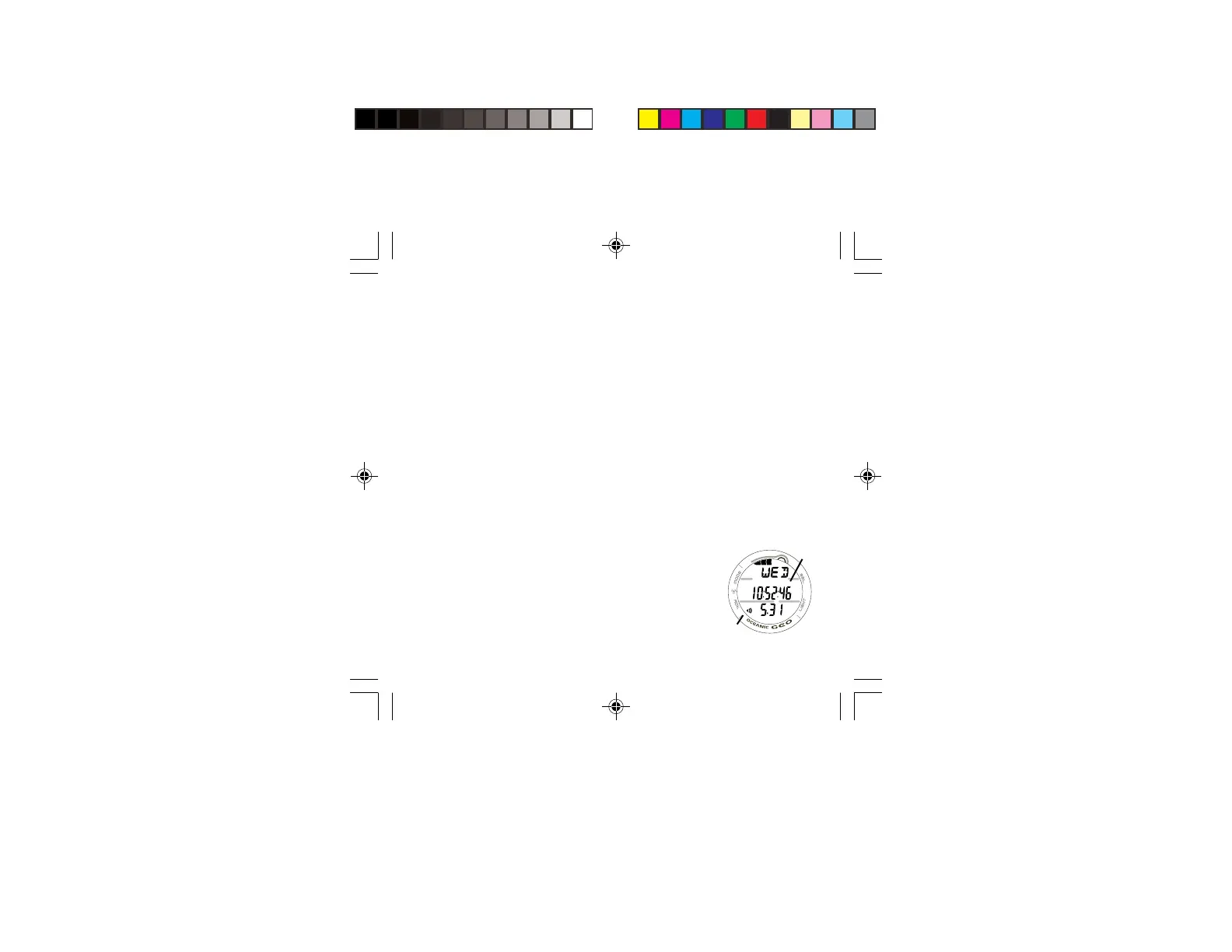
MAIN TIME, information displayed includes:
> Tissue Loading Bar Graph, if any after NORM/FREE dives.
> Alarm icon - if the Daily Alarm is set On (Fig. 7a)
> Day of the Week graphic MON (or TUE, WED, THU, FRI,
SAT, SUN), or the graphic WET (if the unit is wet).
> Battery icon - if a Low Battery Condition exists.
> Month and Day (Day and Month if set for Metric)
> Time of Day (hours, minutes, seconds) (Fig. 7b)
• Pressing and releasing the M button momentarily and
repeatedly (< 2 seconds each time) will step through the
Main Modes.
• Pressing and releasing the S button (< 2 seconds) will
silence and acknowledge the Daily Alarm (if set On and it
sounds).
• Pressing the L button will activate the Backlight.
• Pressing both the A and S buttons simultaneously for 2
seconds will access the SET MAIN TIME Mode.
Fig. 7 - MAIN TIME
(May 31)
a
b



 To Next Page