108
The display will revert to the FREE SURF MAIN screen after 5
seconds if the A button is not pressed.
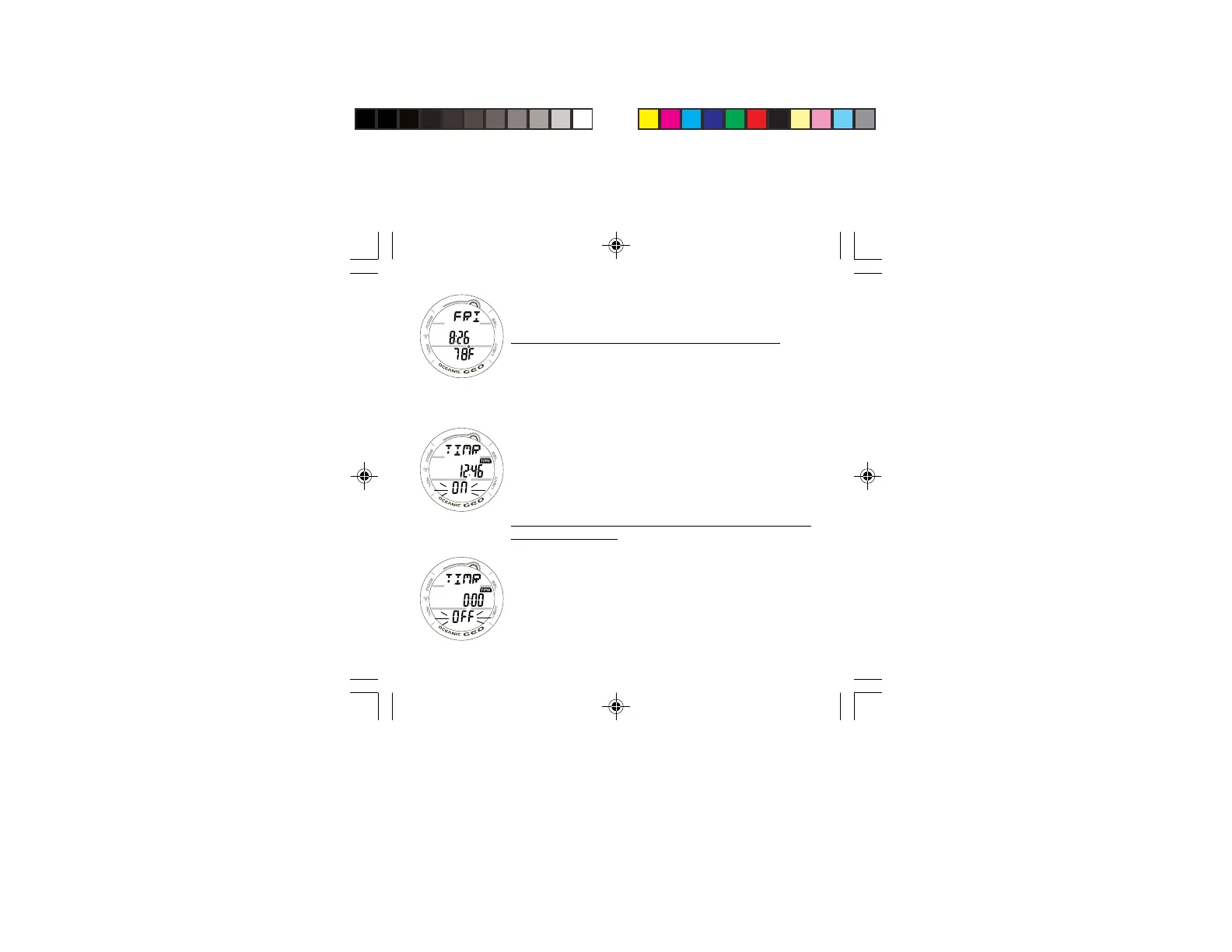
SECONDARY DISPLAY, information includes (Fig. 90) -
> Day of the Week graphic (MON, TUE, etc.)
> Time of Day (hr:min). This will be the Watch Time selected
(MAIN or ALTERNATE).
> Temperature with degrees icon and graphic F (or C).
• The display will revert to the MAIN Display after 5
seconds or if the A button is pressed/released.
FREE MODE CDT (COUNTDOWN TIMER)
Press/release the A button momentarily (< 2 seconds) while
viewing the FREE SURF MAIN screen to access the FREE SURF
CDT STATUS screen.
FREE SURF CDT STATUS DISPLAY, information provided in-
cludes (Fig. 100/101) -
> Graphic TIMR
> Remaining Countdown time (min:sec) with the colon
flashing and the TIME icon, if ON and a CD is in
progress.
> 0:00 will be displayed, if the CD Timer is ON and no time
is remaining.
> If the CD Timer is OFF, the CD Time (min:sec) previously
set will be displayed.
> Graphic OFF (or ON), flashing
Fig. 99 - SECONDARY
Fig. 101 - CDT OFF
Fig. 100 - CDT ON/
RUNNING



 To Next Page