109
BUDDY PRESSURE CHECK (NORM only)
During NORM Dives, the VT3 can be used to check (display)
Tank Pressure of 1 or 2 buddies whose TMT Link Codes (Serial
Numbers) have been entered as TMT 2 and TMT 3 in the VT3's
SET U menu.
NOTE: Use of the Buddy Pressure Check feature
cannot be performed when TMT 2-3 USE is set
for SELF (Gas Switching) or while operating in
GAUG Mode.
Access to Buddy Pressure Check screens during dives can only
be accomplished during the time that a NORM DIVE MAIN
screen is being displayed and cannot be performed while
viewing Alternate displays or during the time that an Alarm is
sounding.
BUDDY PRESSURE CHECK DURING DIVES
Bring the VT3 within 3 feet (1 meter) of the Buddy's
Transmitter.
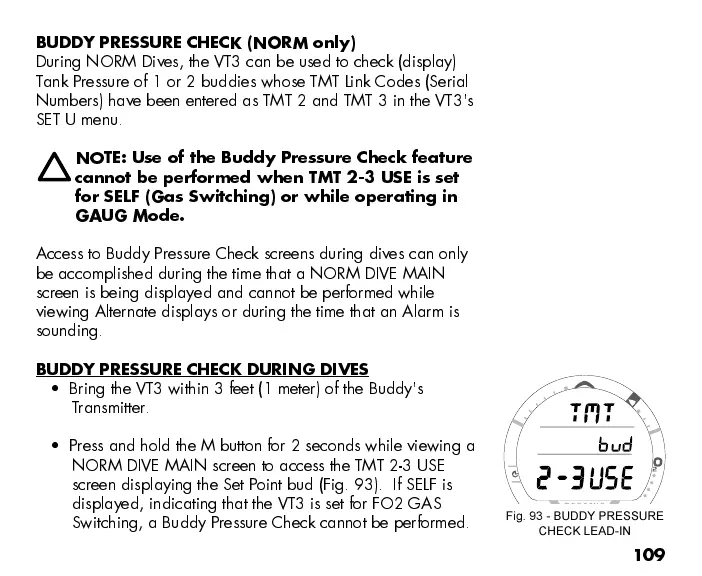
Press and hold the M button for 2 seconds while viewing a
NORM DIVE MAIN screen to access the TMT 2-3 USE
screen displaying the Set Point bud (Fig. 93). If SELF is
displayed, indicating that the VT3 is set for FO2 GAS
Switching, a Buddy Pressure Check cannot be performed.
Fig. 93 - BUDDY PRESSURE
CHECK LEAD-IN



 To Next Page