101
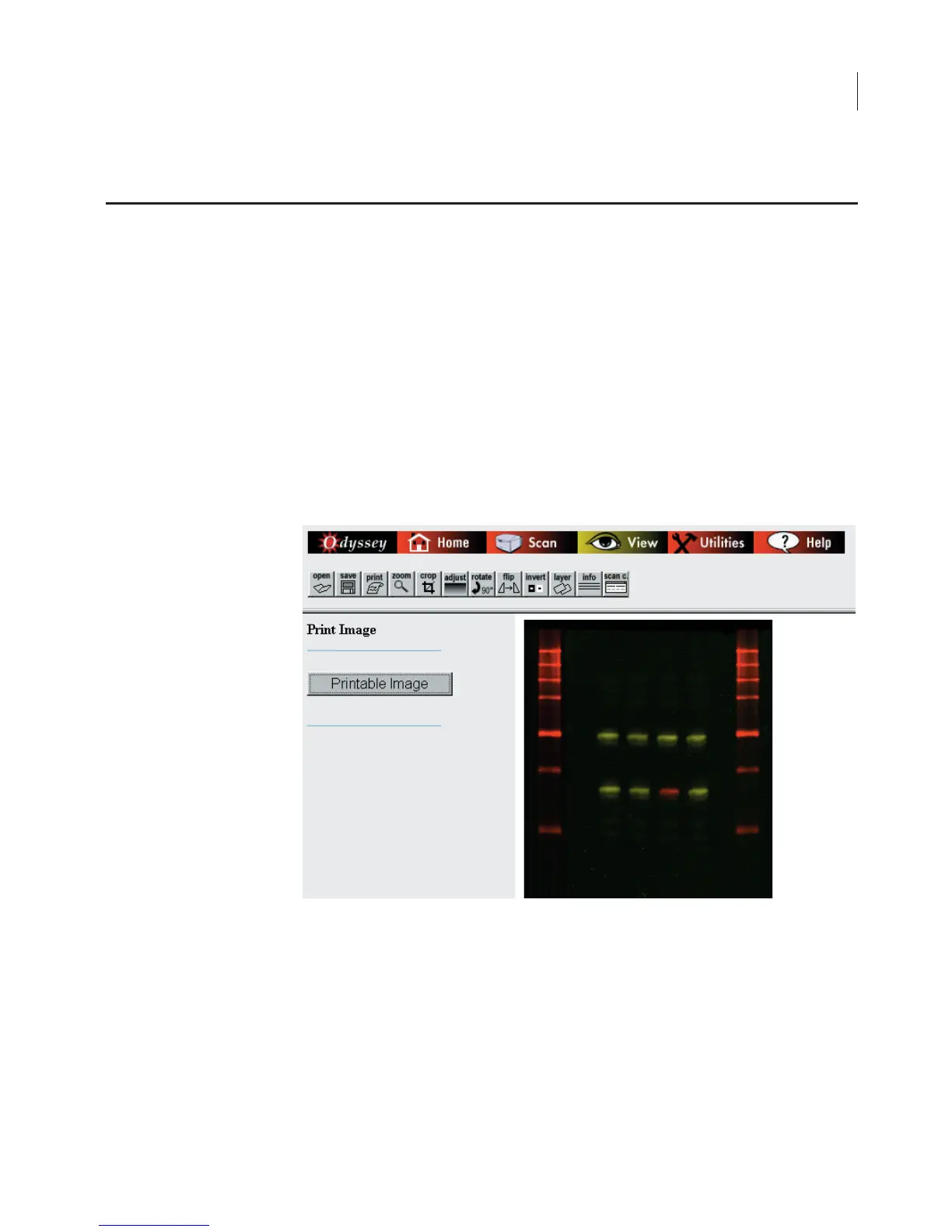
After images are open, they can be printed by clicking
Print
in the
View toolbar and clicking the
Printable Image
button. When
Printable Image
is clicked, the image is displayed in a new window
that does not contain the buttons related to the Odyssey
®
Imager
operation. The image can then be printed by choosing
File > Print
.
The image(s) are printed exactly as shown. If image channels are
overlaid, a composite image of both channels is printed. If only a
single channel is displayed, a grayscale image of one channel is
printed.
Printing Image Files


 To Next Page