CHAPTER 8
92
Importing and Editing Scanned Images
Zooming In and Out
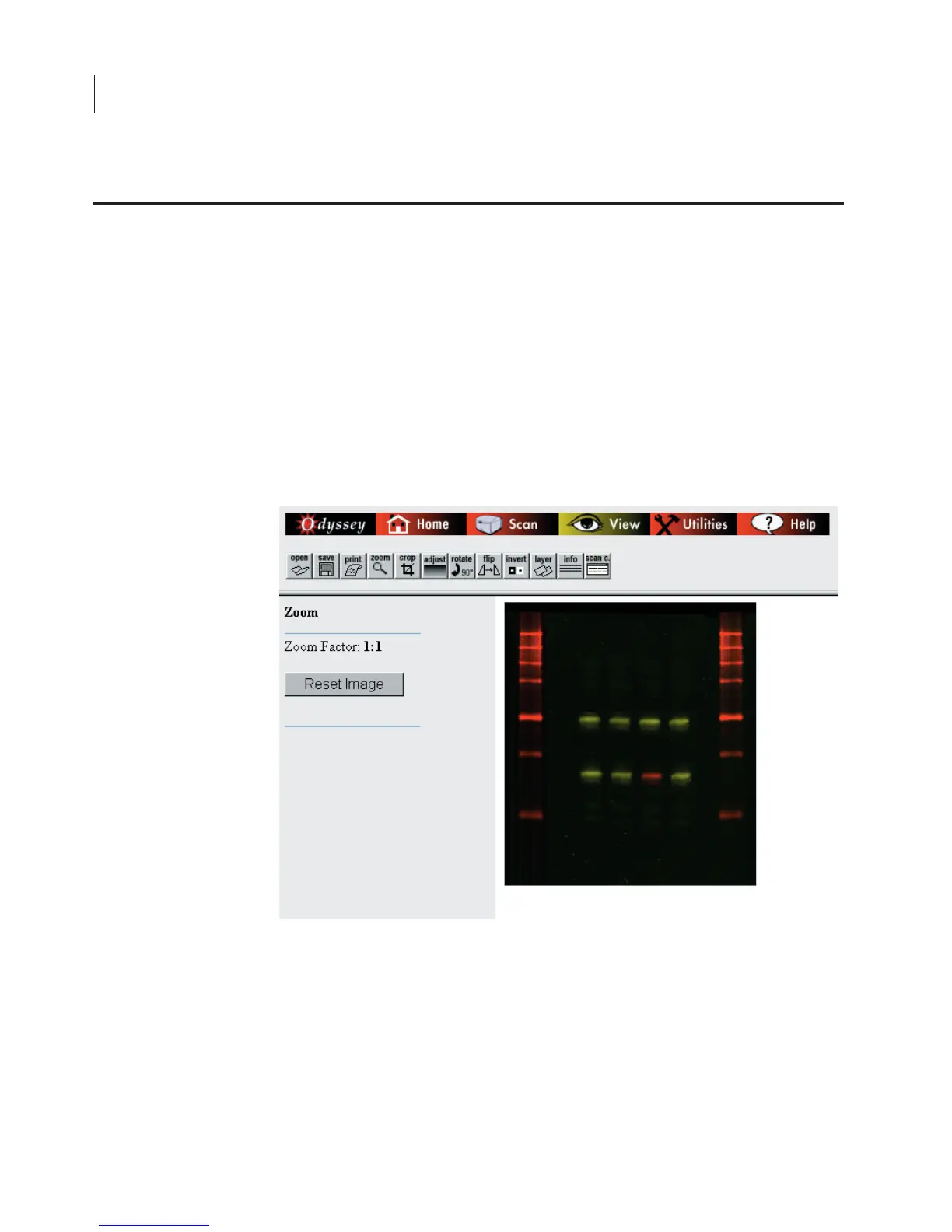
When large images are opened, they are often displayed at a
reduction to fit the window. Images may be displayed at 1:2, 1:4 or
even smaller. To enlarge an image, click the
Zoom
button and then
click the image. When the
Zoom Factor
reaches 1:1 (actual size),
clicking the image will no longer enlarge it. To reduce the image,
click
Reset Image
to return the image size it was when the window
was opened.
Changing the Appearance of an Image


 To Next Page