73
1)
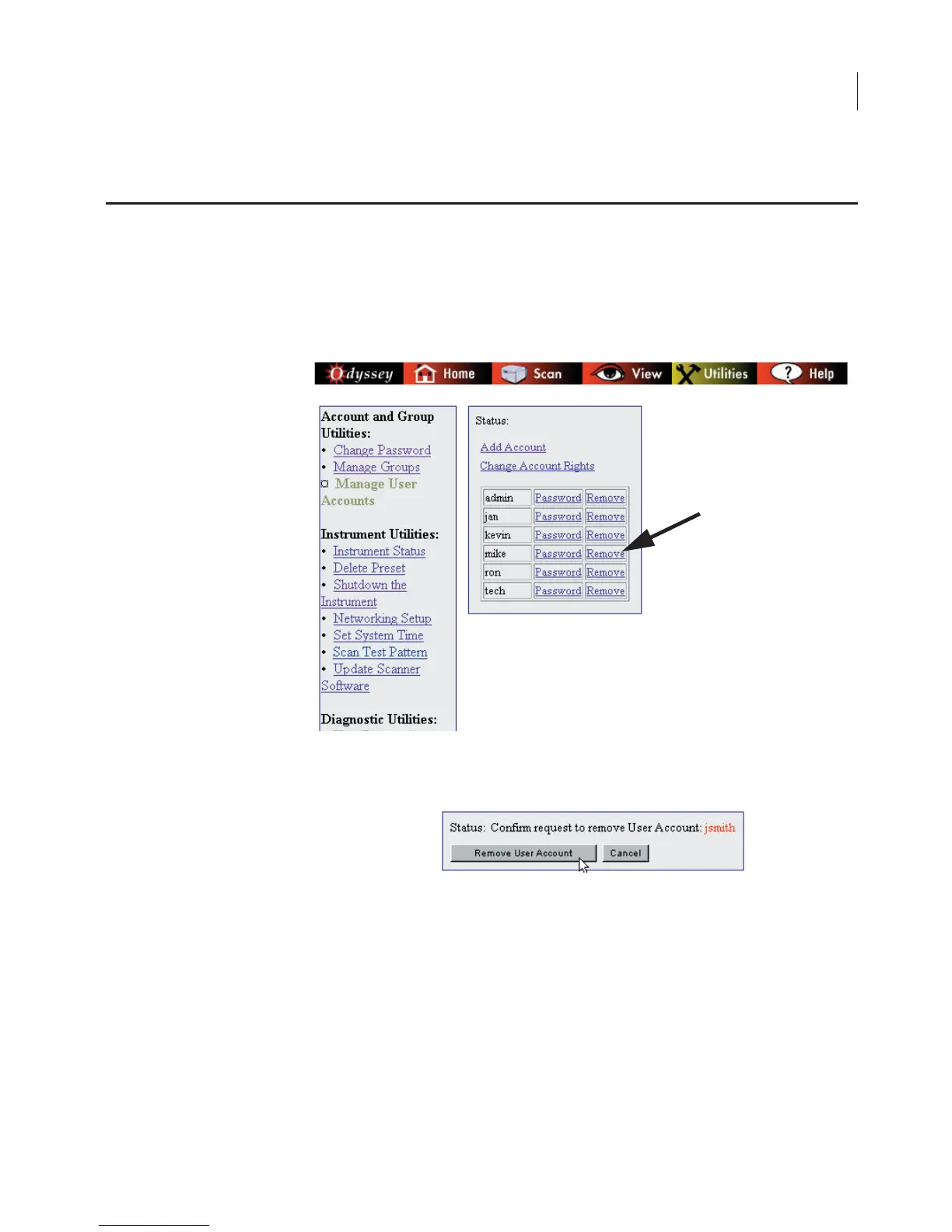
On the Manage User Accounts page, users with
Administrator
access rights can remove a user by clicking the
Remove link next
to the user name to be remove.
2) Click Remove User Account to confirm removal of the user
account or Cancel to leave the account unchanged.
Note: The last Administrator account cannot be deleted. An error message will be
displayed if you attempt to delete the last Administrator account.
Deleting User Accounts



 To Next Page