CHAPTER 6
72
User and Scan Group Administration
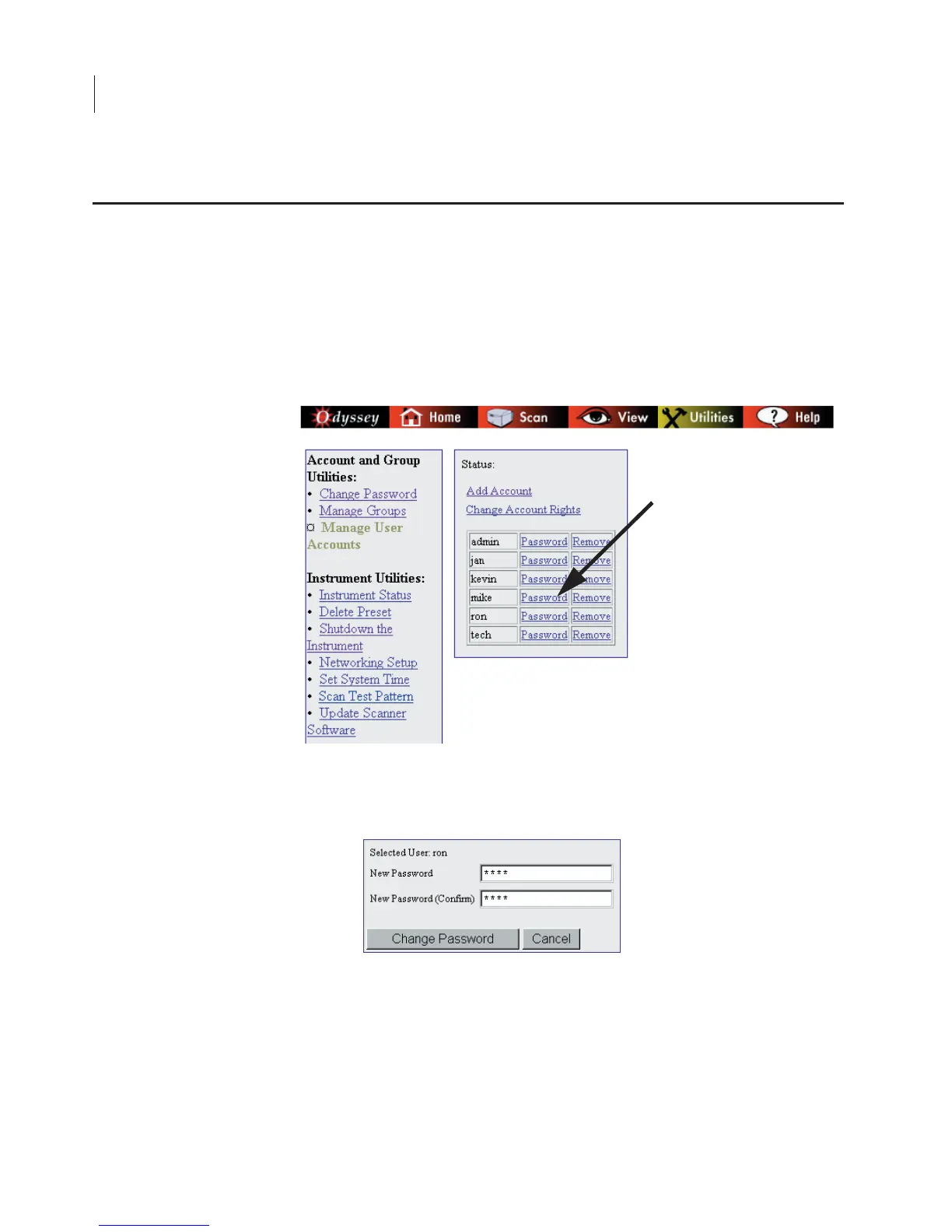
If you are logged in using an account with
Administrator
access
rights, you can change the password for any user account as follows:
1)
On the Manage User Accounts page, click the
Password
link next
to the appropriate User Name to change that user's password.
2)
Enter the new password in the
New Password
field, and confirm
that it is correct by typing it again in the
New Password (Confirm)
field.
3)
Click
Change Password
.
Note:
If you need to change the account name, delete the existing account and add a
new account with the correct name.
Changing Other Users’ Passwords



 To Next Page