77
4) Click Change to implement the new permission level.
Any user with Control rights and Change permission to a scan group
can delete the scan group using the Manage Groups link on the
Utilities page. Users with Administrator rights can delete any scan
group.
Important: Deleting a scan group deletes all scans within the group.
Once a group is deleted, it is not possible to retrieve scans that were
in the group.
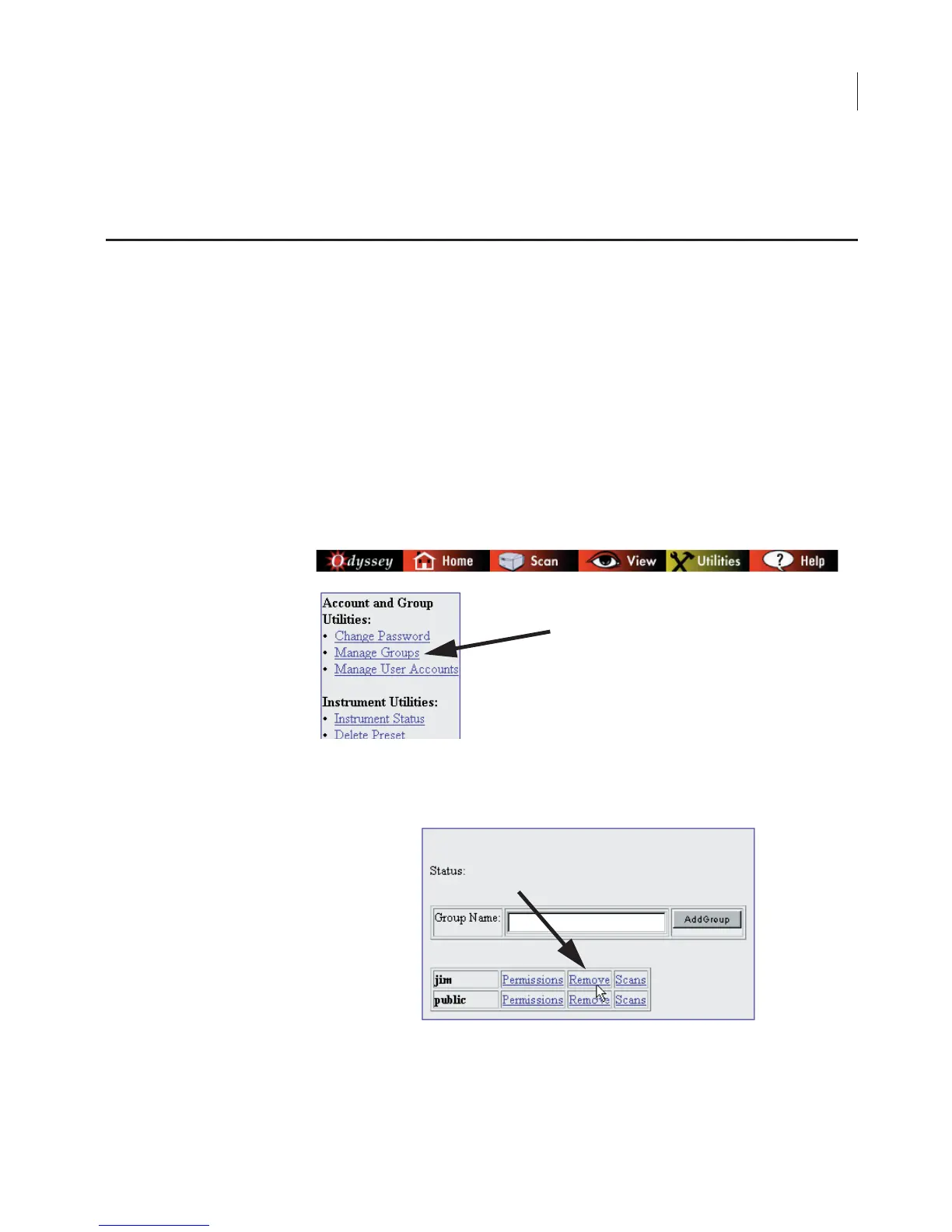
1) Click the Manage Groups link on the Utilities page.
2) Click the Remove link next to the scan group that you want to
delete.
Deleting Scan Groups



 To Next Page