CHAPTER 8
90
Importing and Editing Scanned Images
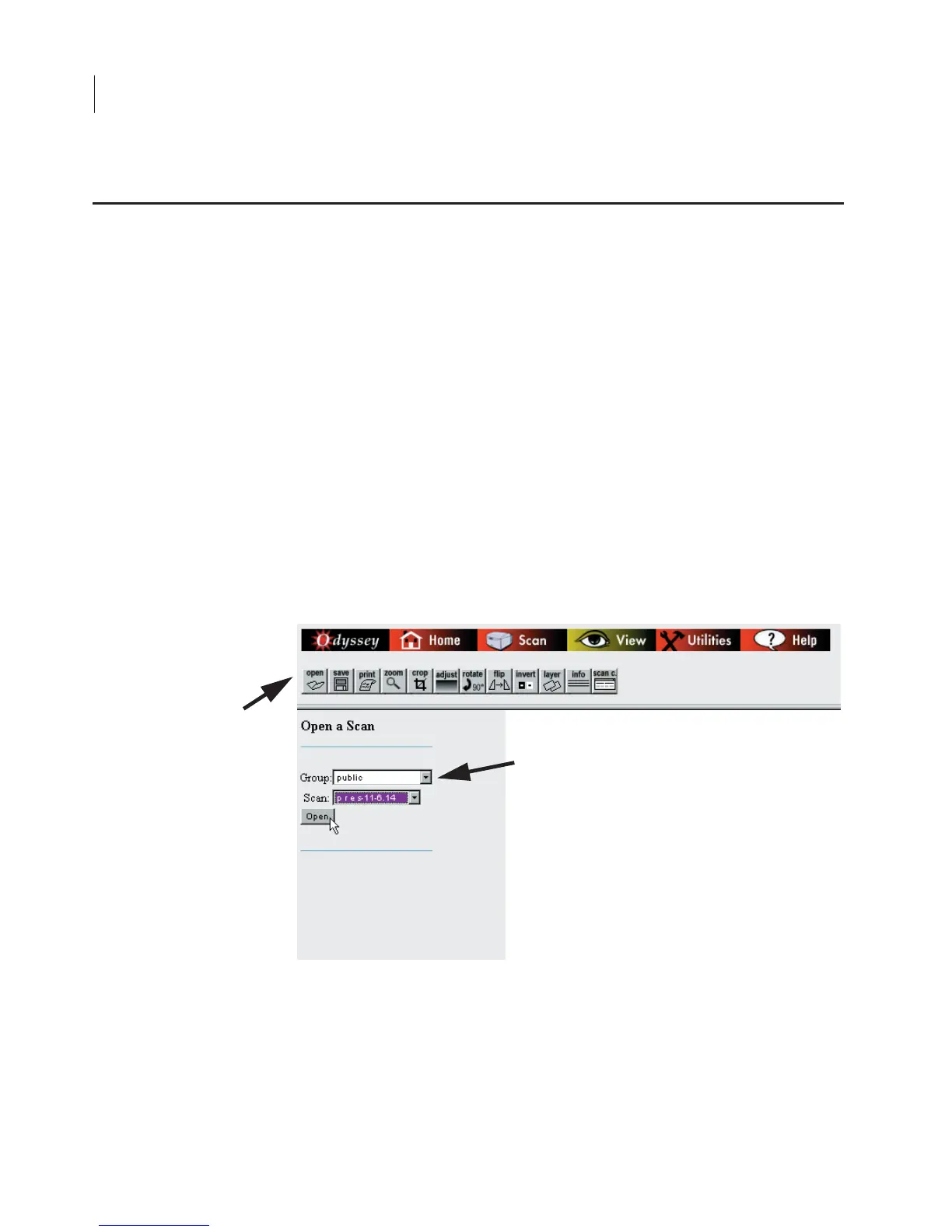
The View page is used to open, edit, and save image files located on
the Odyssey
®
Imager. All editing and file management functions can
be accessed using the toolbar in the top frame of the View page.
When the
View
link on the home page is clicked, a page for opening
scans is displayed. The
Open
button in the View toolbar can also be
used to display this page. The Open page is used to open image files
stored on the Odyssey Imager. The image files can then be saved to
a local storage drive using the
Save
button. Other functions on the
View page are used to edit the image while it is open.
Follow the steps below to open an image.
1)
Select the scan group where the file is located from the
Group
drop-down list.
All files stored on the Odyssey Imager are separated into scan groups.
Each user has their own scan group, in which new scans are stored.
There is also a
public
scan group available to all users that is most
Opening a Scan Stored on the Odyssey Imager



 To Next Page