CHAPTER 4
56
Connecting the Odyssey Imager to a Network
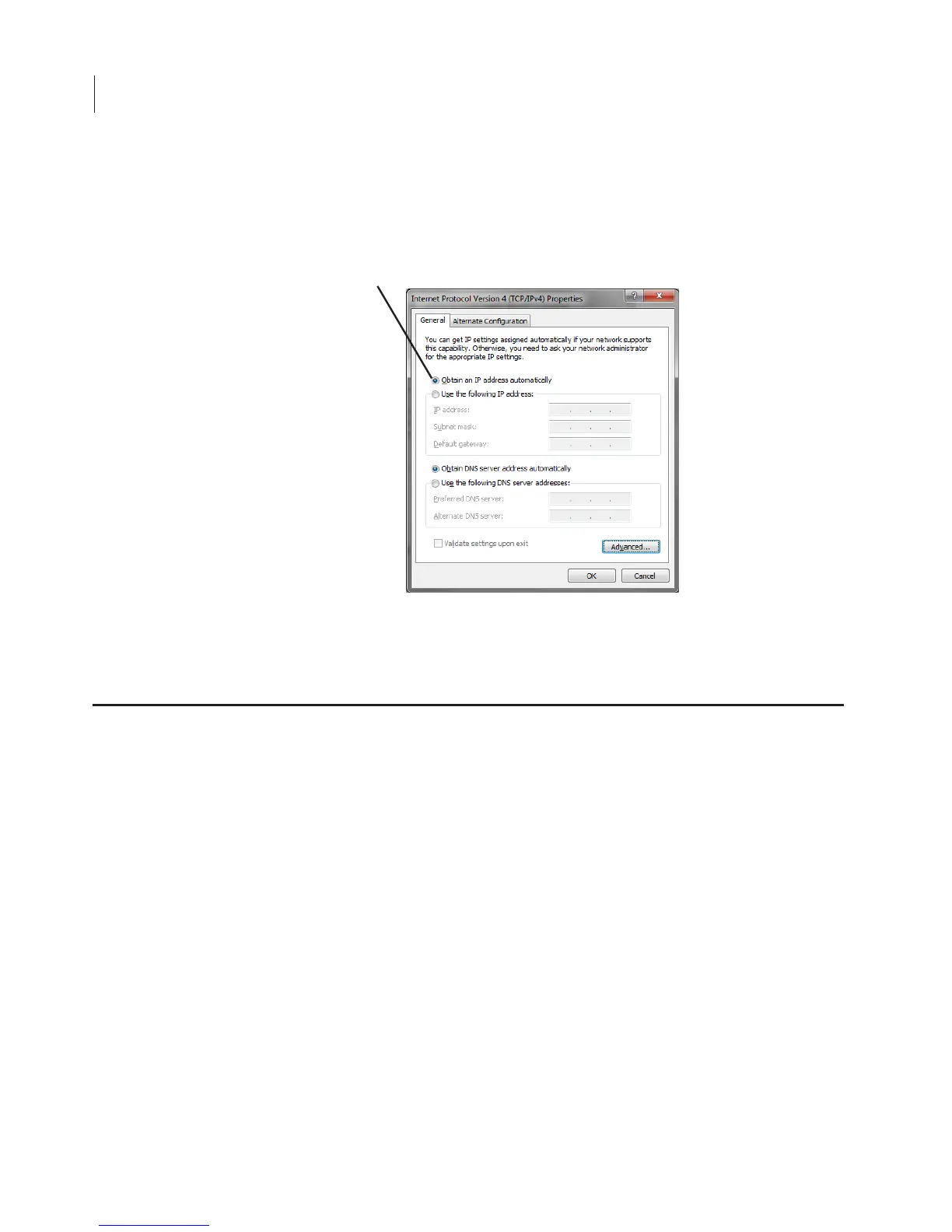
7) For automatic (DHCP) addressing, select Obtain an IP address
automatically. For static IP addressing, select Use the following
IP address, and enter all of the addresses recommended by your
network administrator.
8) When finished, close all of the network configuration windows
by clicking OK or Close.
Computers anywhere on the network (offices, etc.) can be used to
download and analyze scans, start scans, create templates, etc. If you
have the Odyssey Imager set for static IP configuration, all you need
to do is install the Odyssey software on the new computer and add
the Odyssey Imager to the scanner list as follows:
1) Choose Settings > Scanners in the Odyssey Application Software.
2) Click Auto Discover in the Scanner List window. The automatic
discovery software will find the Odyssey Imager and add it to the
scanner list as long as the instrument is on the same network as
Connecting Other Computers on the Network



 To Next Page