69
If you are logged in using an account with
Administrator
access
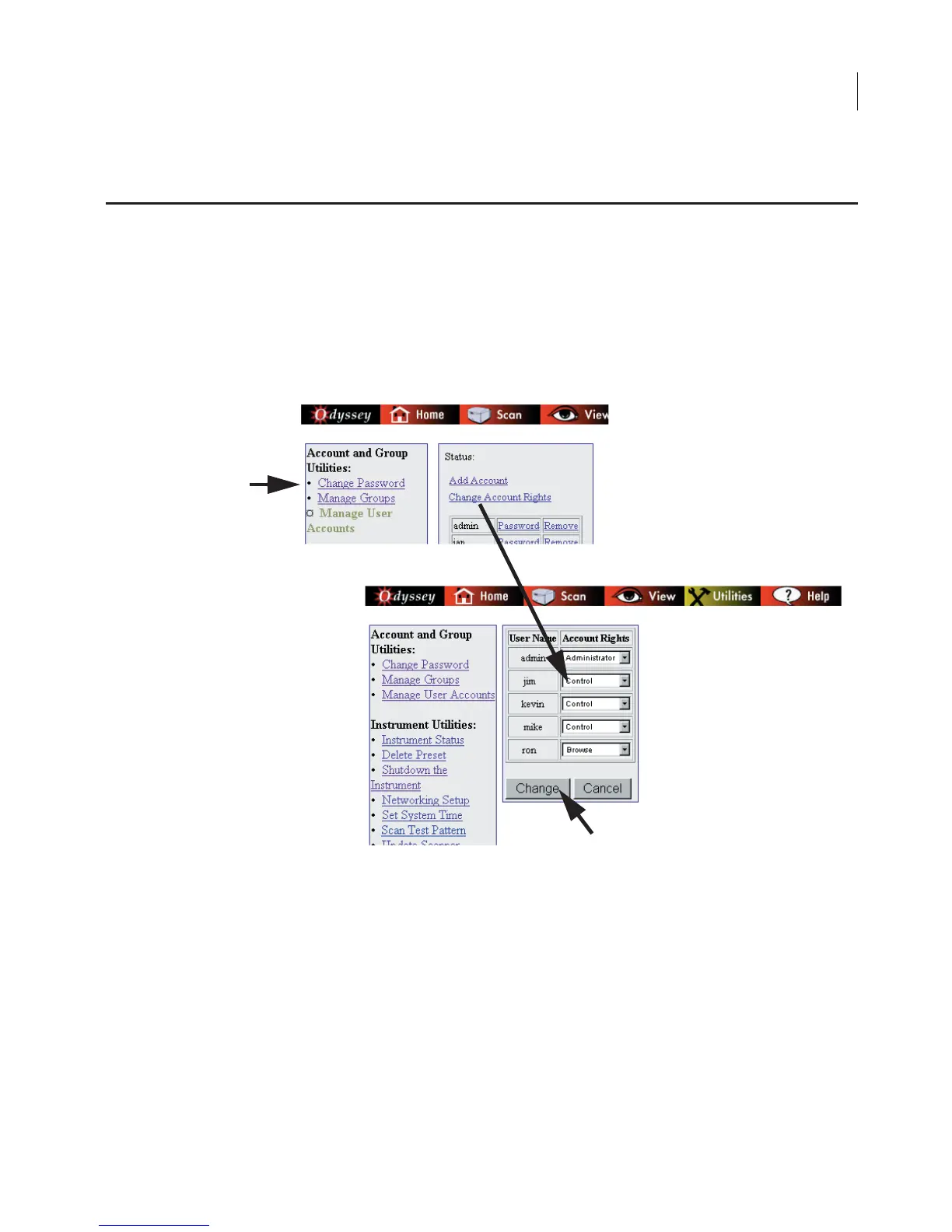
rights, you can change the account rights of any user as follows:
1)
Account rights can be upgraded or downgraded by clicking the
Change Account Rights
link on the Manage User Accounts page.
2)
Use the
Account Rights
drop-down list next to the
User Name
to
select new account rights. (Account rights are described in
Adding User Accounts
above.)
3)
Click
Change
to save any changes.
Changing User Account Rights



 To Next Page