CHAPTER 6
76
User and Scan Group Administration
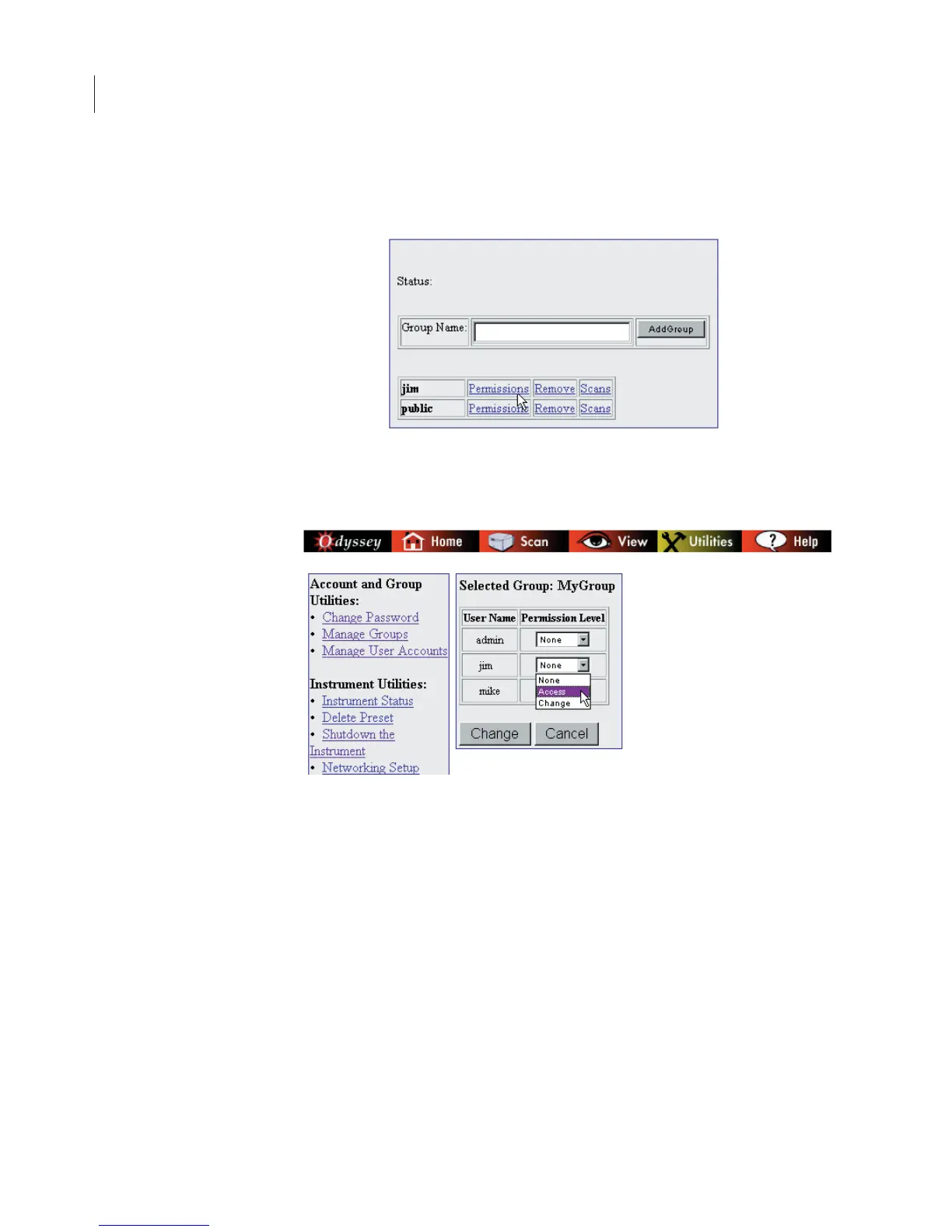
2) Click the Permissions link next to the scan group that you want to
change.
3) Use the Permission Level drop-down list next to the user name to
change access permission of the user.
A permission level of None indicates no access. Users with
permission level of None will not see the indicated group when
selecting a group for new scans or while opening scans.
Access permission level allows users to open completed scans, but
not change them. Change permission allows users to start new scans
and store them in the scan group, as well as to edit any scans in the
scan group. Change permission also allows you to let other users
access a scan group by changing their access permission.



 To Next Page