CHAPTER 3
30
Operation
area that can be scanned is 25 cm × 25 cm. At the highest resolution
(21 µm), a 25 cm × 25 cm scan would require 283.4 Mb of disk space
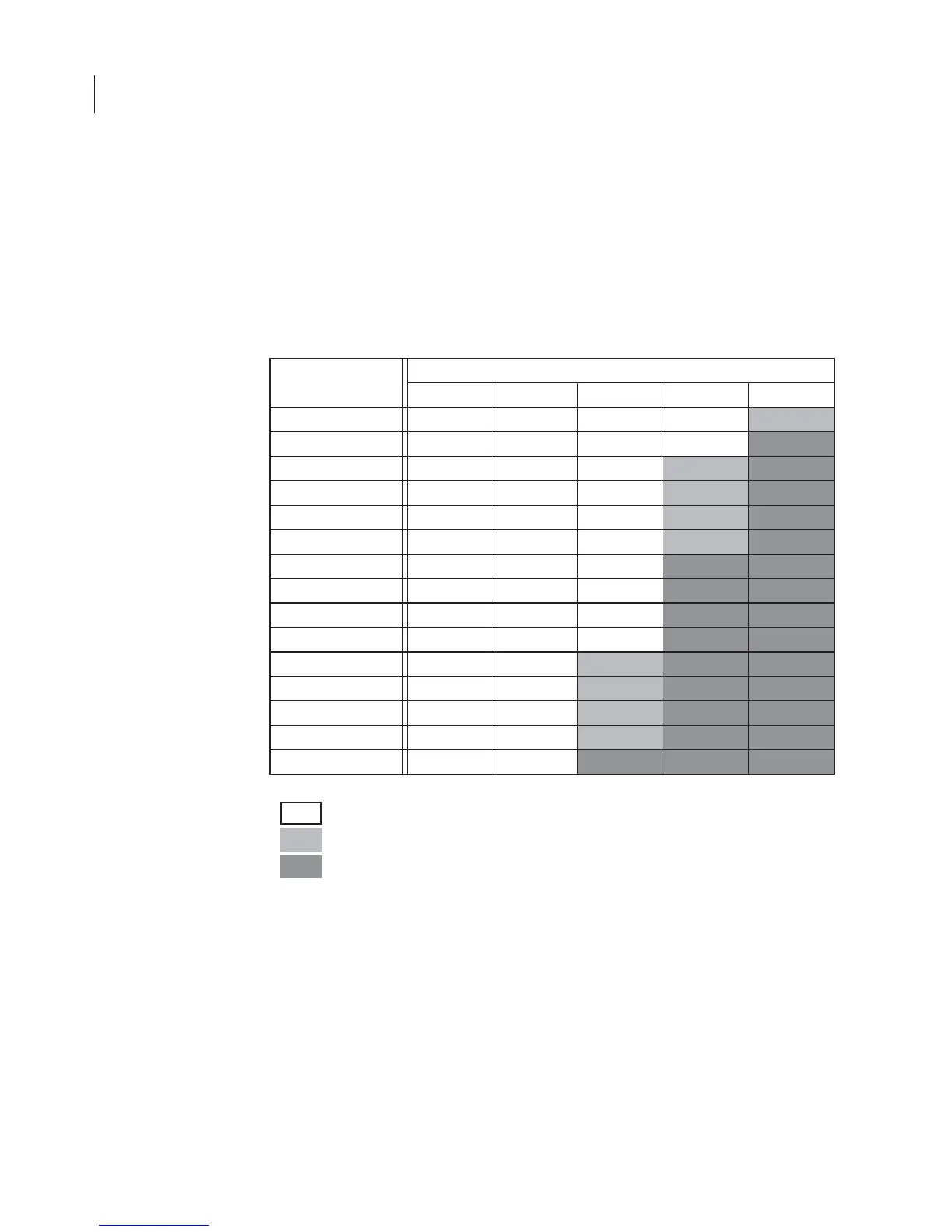
for each of the two image channels. Table 3-1 shows typical file sizes
for various scan areas at the 5 different resolutions.
Table 3-1. File sizes for various scan areas and 5 scan resolutions (in kilobytes
or megabytes per channel).
Scan Size
Resolution
337 µm 169 µm 84 µm 42 µm 21 µm
5 x 5 cm 44k 175k 708k 2.8M 11.3M
5 x 10 cm 88k 350k 1.4M 5.7M 22.6M
5 x 15 cm 132k 525k 2.1M 8.5M 34.0M
5 x 20 cm 176k 700k 2.8M 11.3M 45.3M
5 x 25 cm 220k 875k 3.5M 14.2M 56.7M
10 x 10 cm 176k 700k 2.8M 11.3M 45.3M
10 x 15 cm 264k 1.0M 4.1M 17.0M 68.0M
10 x 20 cm 352k 1.4M 5.6M 22.7M 90.7M
10 x 25 cm 440k 1.7M 7.0M 28.3M 113.3M
15 x 15 cm 396k 1.6M 6.3M 25.5M 102.0M
15 x 20 cm 528k 2.1M 8.4M 34.0M 136.0M
15 x 25 cm 660k 2.6M 10.6M 42.5M 170.0M
20 x 20 cm 704k 2.8M 11.3M 45.4M 181.4M
20 x 25 cm 800k 3.5M 14.1M 56.7M 226.7M
25 x 25 cm 1.1M 4.4M 17.6M 70.9M 283.4M
Can be scanned with the Odyssey
®
Application Software
Scan should be started using the browser interface
Marginal for the Odyssey Application Software



 To Next Page