47
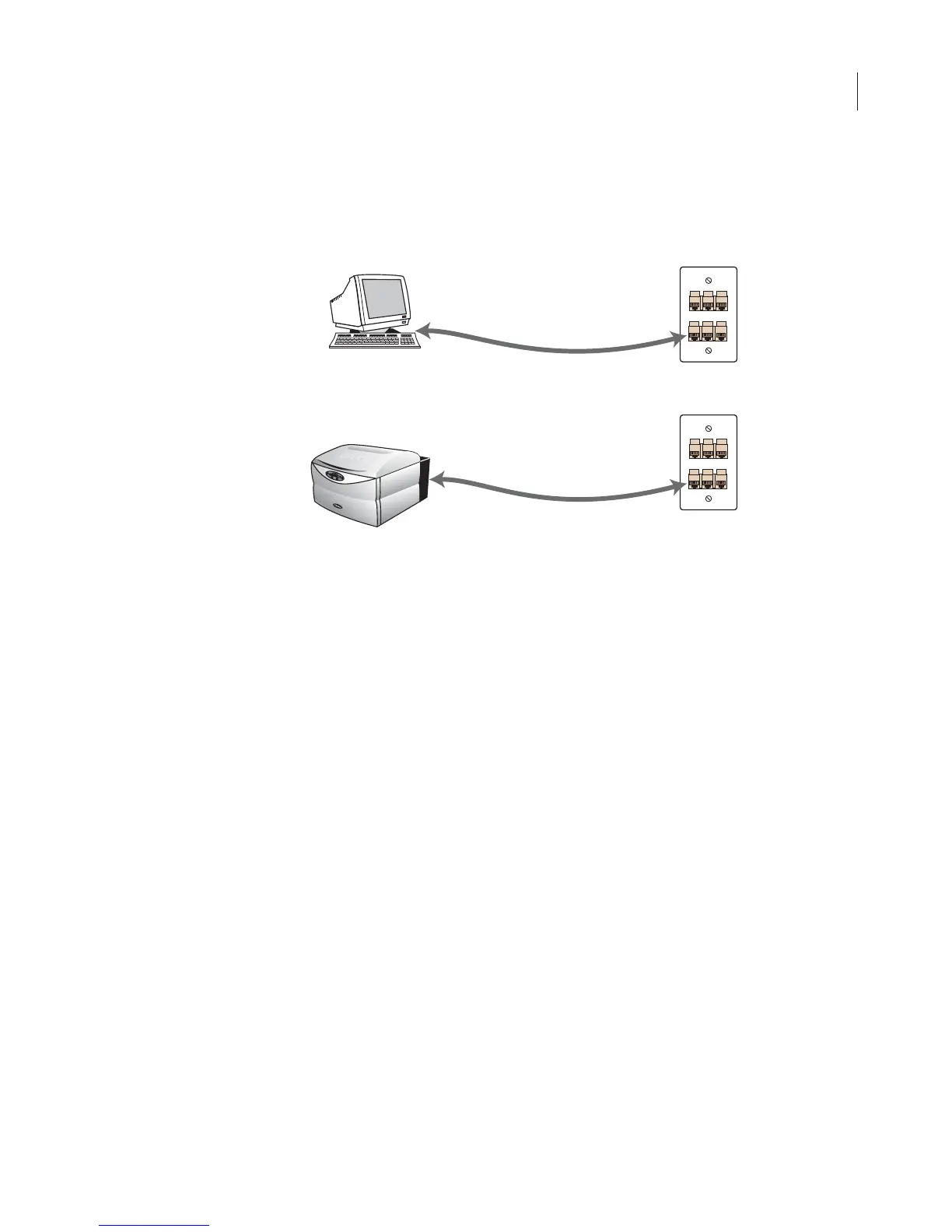
3) Connect the Cat. 5 RJ-45 cable included from the NIC-1 on the
computer directly to a different local network port (LAN).
4) Turn on the Odyssey
®
Imager and computer, but don’t start the
Odyssey Application Software.
Note: When the Odyssey Imager and computer start up, they will be assigned an IP
address automatically by your DHCP server. This can take as long as 5 minutes and it
is best to wait for addresses to be assigned before starting the Odyssey software.
5) The computer and/or the Odysssey Imager can also be set up with
a static IP address (see Setting a Static or Automatic (DHCP) IP
Address).
6) Start the Odyssey software.
7) Check the connection by choosing Settings > System Adminis-
tration.
Network connection
scheme.
Connections To
Existing Network
10 Mbps or
100 Mbps network port(s)
Odyssey
Host Computer With
Odyssey Software And
Internet Browser
Cat. 5 RJ-45 Cable
From Computer
To Network Port
10 Mbps or
100 Mbps network port(s)
Cat. 5 RJ-45 Cable
From Odyssey
To Network Port



 To Next Page