85
materials. Intensity values from 1 to 10 in increments of 0.5 can be
chosen, as well as low intensity values L0.5 to L2.0. L2.0 is the lowest
intensity value the Odyssey
®
Imager can use for scanning.
The
Channels
check boxes are used to specify whether to detect the
700 channel, 800 channel or both. When both are selected, fluores-
cence from each channel is detected separately and stored in a
separate image file.
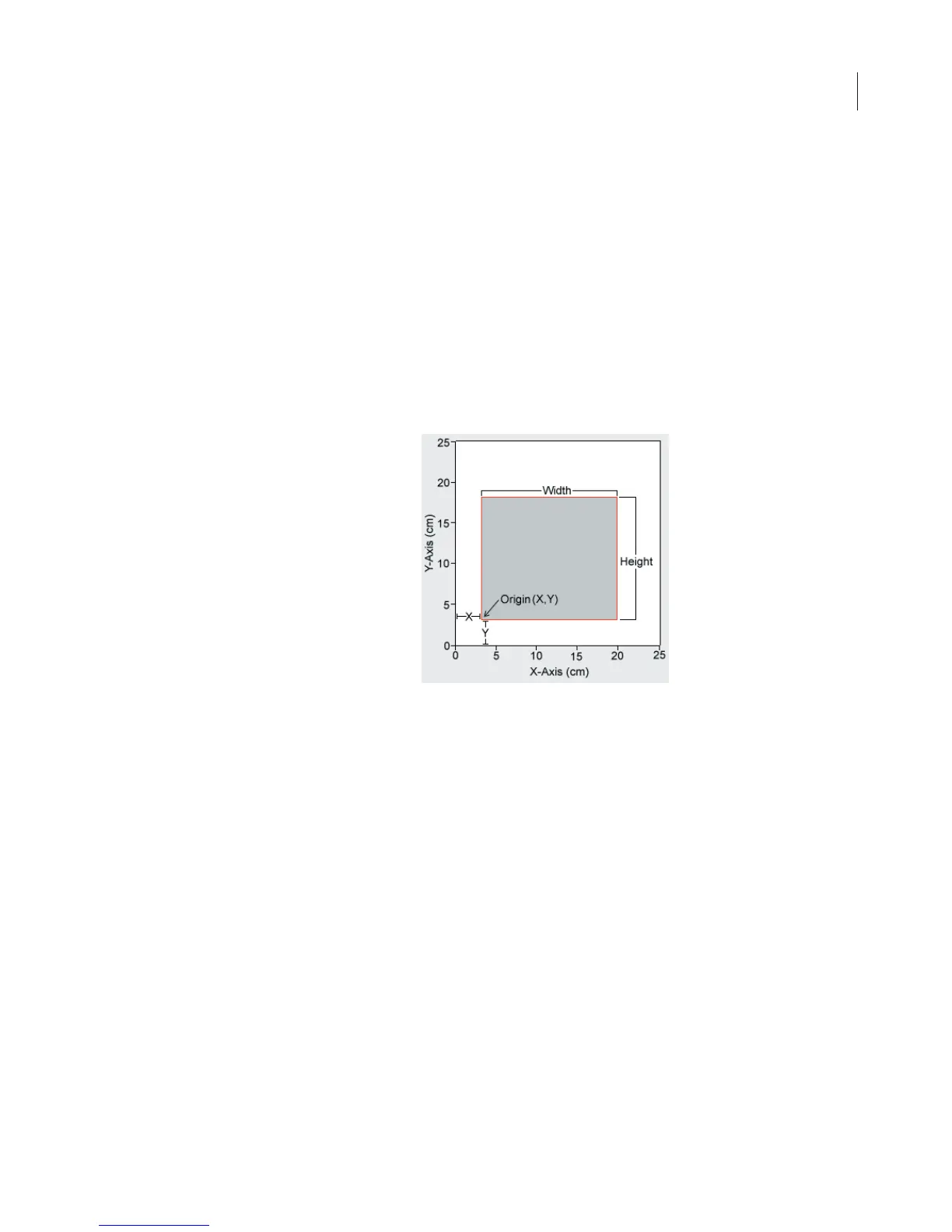
Scan Area
is used to specify the portion of the 25 x 25 cm scan
surface that will be scanned.
For the
Origin,
enter the
X
and
Y
offset of the left-front corner of the
area to be scanned. Only integer values, representing centimeters,
can be entered.
The front, left corner of the scanning surface has an Origin of X=0,
Y=0. (The tip of the white arrow on the scan surface is the 0,0
position.) In general, it is best not to place the membrane or gel at the
0,0 position. The scan area should always be larger than the
membrane or gel so labels placed on the image during analysis will
be displayed properly.



 To Next Page