2 I/O Application Procedures and Function Allocations
2-2
CJ2M CPU Unit Pulse I/O Module User’s Manual
2-1 Pulse I/O Module Application
Procedure
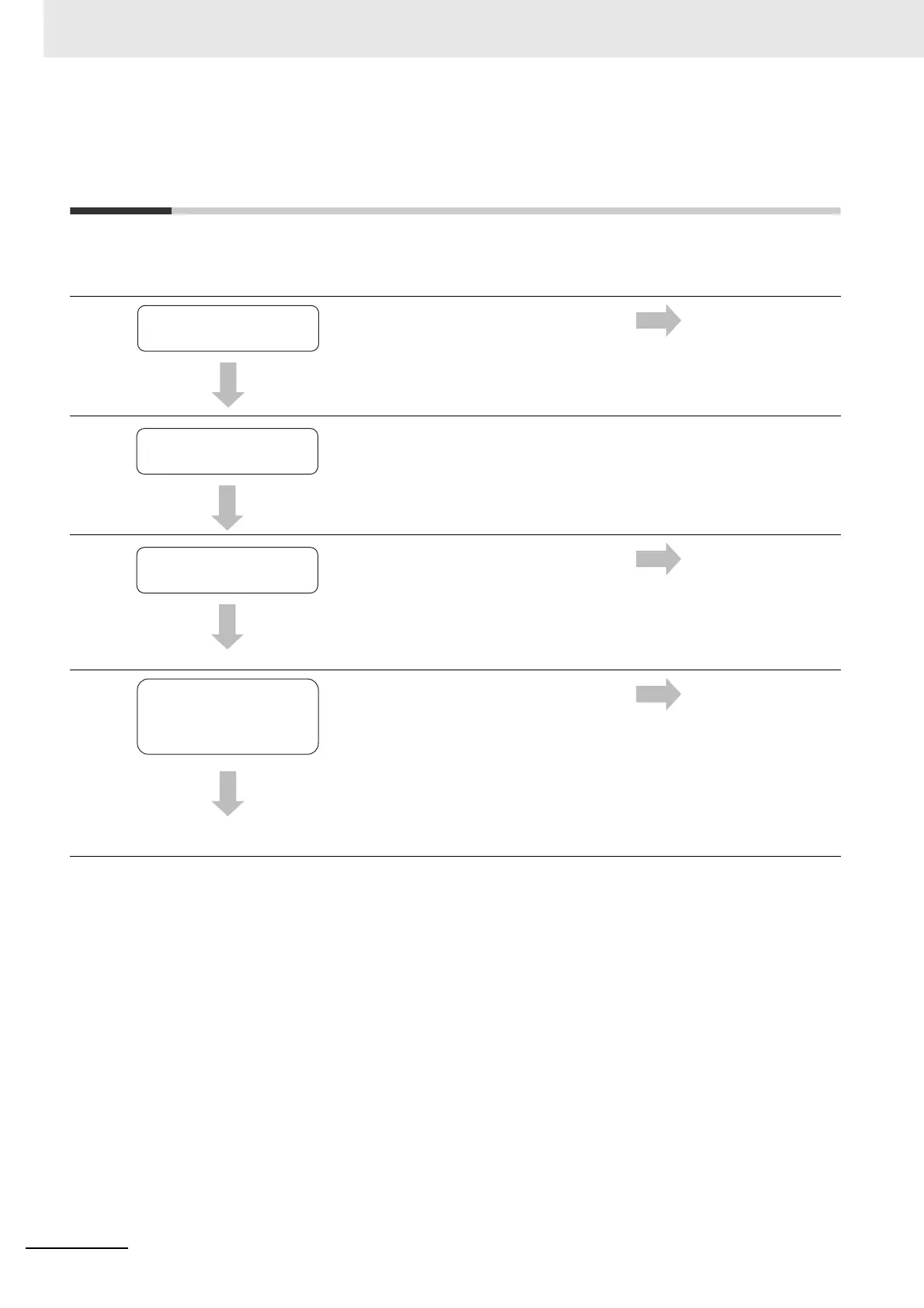
The following procedure shows how to use the I/O functions of the Pulse I/O Module.
1
Assign the functions to be used to the I/O ter-
minals on the Pulse I/O Unit.
Refer to 2-2 Allocat-
ing I/O Functions.
2
Connect up to two Pulse I/O Modules to the
left of the CJ2M CPU Unit.
3
• Normal connection: Connect with XW2Z-
@@@K Connecting Cable to the XW2D/B-
40@G Connector-Terminal Block Conver-
sion Unit.
• Connecting with OMRON Servo Drives:
Connect with the special Connecting Cable
via a special Servo Relay Unit.
Refer to 3-2-3 Wir-
ing.
4
Set the port numbers for functions using the
CX-Programmer.
Example: When Using Interrupt Input IN03
and High-speed Counter 0
Parameters in the PLC Setup must be set for
the following functions.
Refer to 2-2 Allocat-
ing I/O Functions
and the section on
the PLC Setup in the
section for each
function.
• Interrupt Inputs
• Quick-response
Inputs
• High-speed
Counter Inputs
• Origin Search
Assign functions.
Install the Pulse I/O
Modules.
Wire the Pulse I/O
Modules.
Make the settings
in PLC Setup.






 To Next Page