138
Troubleshooting Using Error Status
Section 7-4
7-4 Troubleshooting Using Error Status
Error status in CIO Words The PROFIBUS-DP Master Unit provides error status indications to the PLC
CPU Unit in the Unit Status Word and the Master Status Word 2, which are
part of the CIO Words.
7-4-1 Unit Status Word
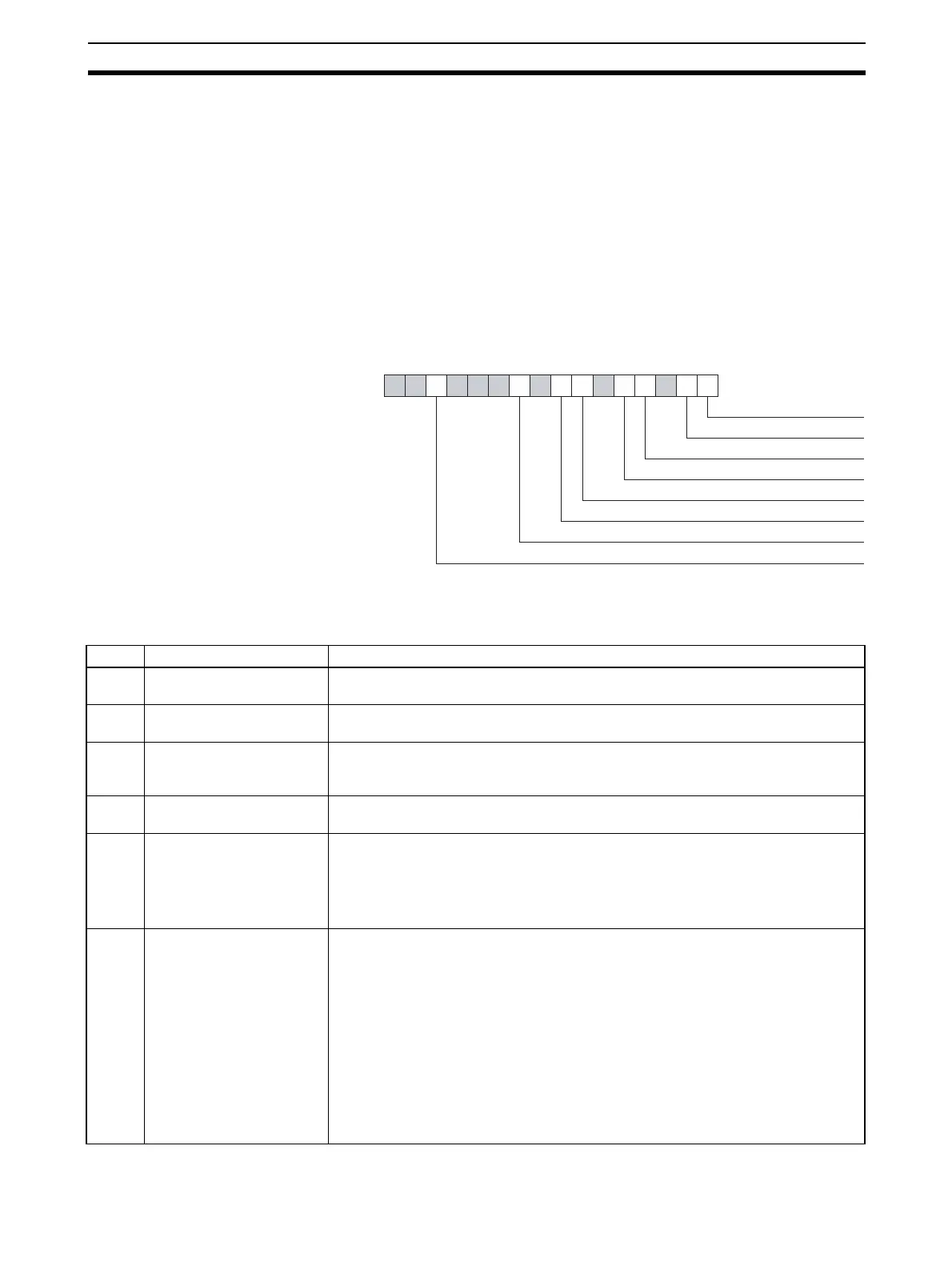
The Unit status word (CIO Word n+4) contains status and error indications on
the Unit itself. The figure below shows the Unit Status Word Layout. The cor-
responding bit flag will turn ON if an error event has occurred.
Note n = CIO 1500 + (25 x unit number).
15 14 13 12 11 10 9 8 7 6 5 4 3 2 1 0
Word n+4
Unit error flag
Master error flag
Error log contains new errors
Parameter transfer in progress
Local parameter storage error
Local parameter load error
File read error
Error log storage error
Bit Name Description / Correction
00 Unit error flag If this bit is set, one of the other error flags in the Unit Status Word is set. Refer to
these bits for error determination.
01 Master error flag If this bit is set, one of the error flags in the Master Status 2 Word is set. Refer to
these bits for error determination.
03 Error Log contains new
errors
There are new errors available in the Error Log, since the last time the error log was
read. Reading the error log (using the ERROR LOG READ FINS command) will
clear this bit flag.
04 Parameter transfer in
progress
A Parameter transfer is in progress either from the configurator to the Unit or
between the Unit and the Memory Card.
06 Local parameter storage
error
An error has occurred, when writing the configuration to the non-volatile memory.
To correct this:
• Restart the Unit.
• Re-download the configuration.
• If the problem persists, replace the PROFIBUS-DP Master unit.
07 Local parameter load error An error has occurred, when loading the configuration from the non-volatile mem-
ory to the volatile memory at start up.
Most likely causes:
• A failure or interruption during the writing process.
• A faulty parameter setting, which makes initialization of the PROFIBUS interface
not possible.
To correct this:
• Check the parameter settings for incorrect values.
• Restart the Unit.
• Re-download the configuration.
• If the problem persists, replace the PROFIBUS-DP Master unit.








 To Next Page