30
Installing the PROFIBUS-DP Master Unit
Section 2-2
2-2-3 Mounting the CJ1W-PRM21
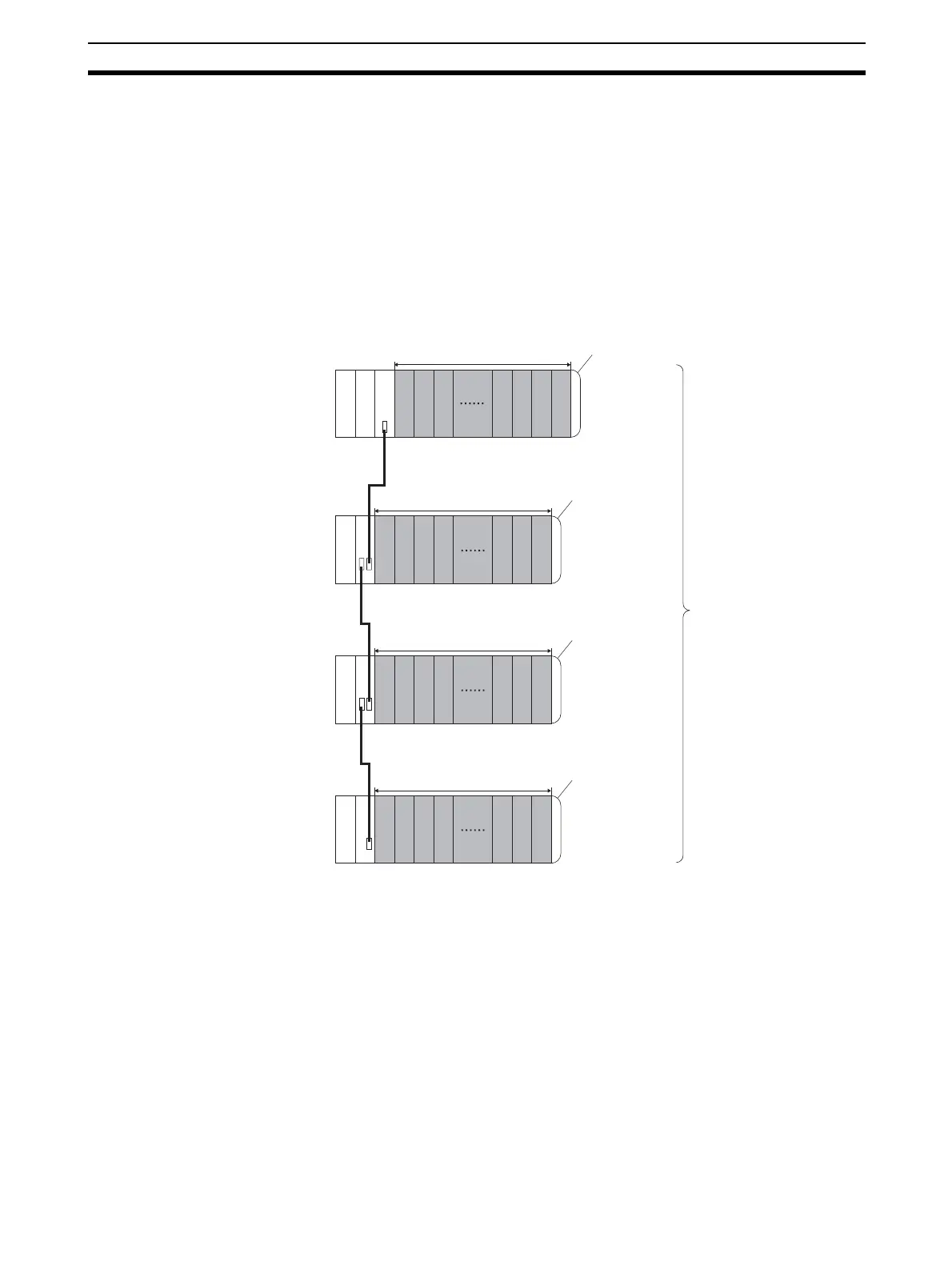
The PROFIBUS-DP Master Unit can be mounted to any slot in either a CJ-
series CPU Rack, or a CJ-series Expansion CPU Rack. The CJ-series PLC
supports up to 4 Expansion CPU Racks, in addition to the CPU rack.
The number of slots to which PROFIBUS-DP Master Unit can be mounted in
any of the positions shown below using the sliders on the top and bottom of
the Unit. Up to 16 PROFIBUS-DP Master Units can be mounted to a single
PC. If it is mounted in combination with other CPU Bus Units (e.g., Ethernet
Units), the maximum total number of CPU Bus Units that can be mounted is
16.
Note The CJ1W-PRM21 PROFIBUS-DP Master Unit’s maximum current consump-
tion is 400 mA. Make sure that the total current consumption of all the Units
connected to the same CPU Backplane or Expansion Backplane does not
exceed the output capacity of the Power Supply Unit.
C
P
U
P
S
I
C
P
S
I
I
P
S
I
I
P
S
I
I
10 Units max.
10 Units max.
10 Units max.
10 Units max.
End cover
End cover
End cover
End cover
PS: Power Supply Unit
CPU: CPU Unit
IC: I/O Control Unit
II: I
In
rf
ni
Expansion Backplane
Expansion Backplane
Expansion Backplane
PLC CPU rack
Up to 16 PROFIBUS-DP M
Units can be mounted.








 To Next Page