51
CX-Profibus
Section 3-2
3-2-3 Device Catalogue
Device Catalogue main
components
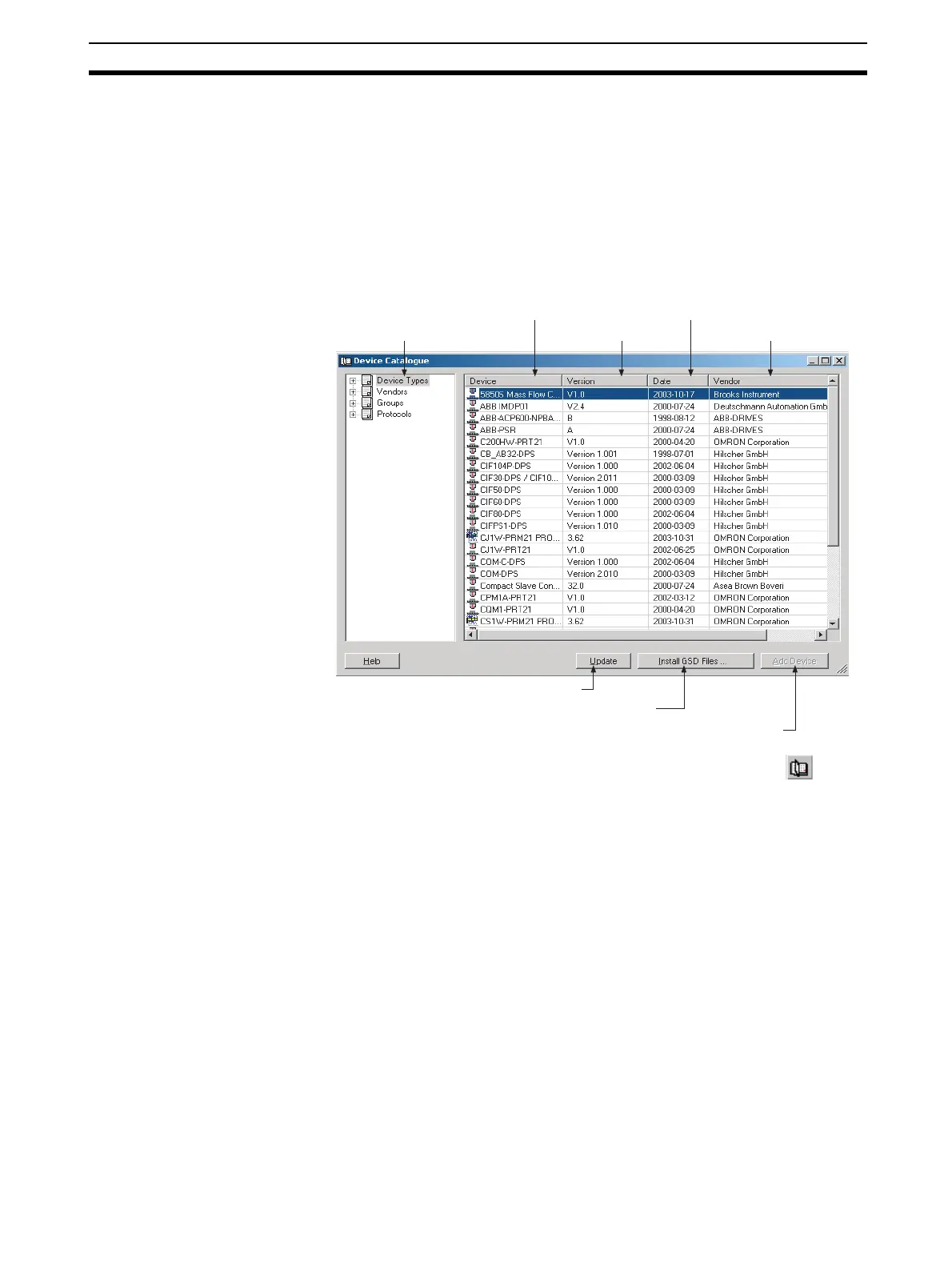
The Device Catalogue is one of the main components in CX-Profibus. Its
main functions are
• to maintain a list of installed DTM and GSD files.
• to provide convenient sorting and categorizing of the list.
• to allow updating the list, after installation of new DTMs or GSD files.
• to provide detailed information on selected DTMs
The main layout of the Device Catalogue is shown below.
Invoking the Device
Catalogue
The Device Catalogue window is opened by either selecting the icon in
the CX-Profibus toolbar or by selecting the View - Device Catalogue menu
option. Both options have toggle function: selecting one of them again will
close the Device Catalogue.
DTM window layout The left window pane allows selection of specific groups of DTMs to be dis-
played. The right window pane lists the DTMs, which are installed on the PC
and which are available for setting up a network. A selection of DTMs is made
by selecting a specific group in the left window pane.
Note The list makes no distinction between normal DTMs and GSD files which
have been loaded through the Generic Slave Device DTM.
DTM list window The list items in the right window pane are described in the following table.
DTM categories
Device name
Version number
File date
Vendor name
Update Device Catalogue
Install a new GSD file
Add selected device to the network








 To Next Page