139
Troubleshooting Using Error Status
Section 7-4
7-4-2 Master Status 2 Word
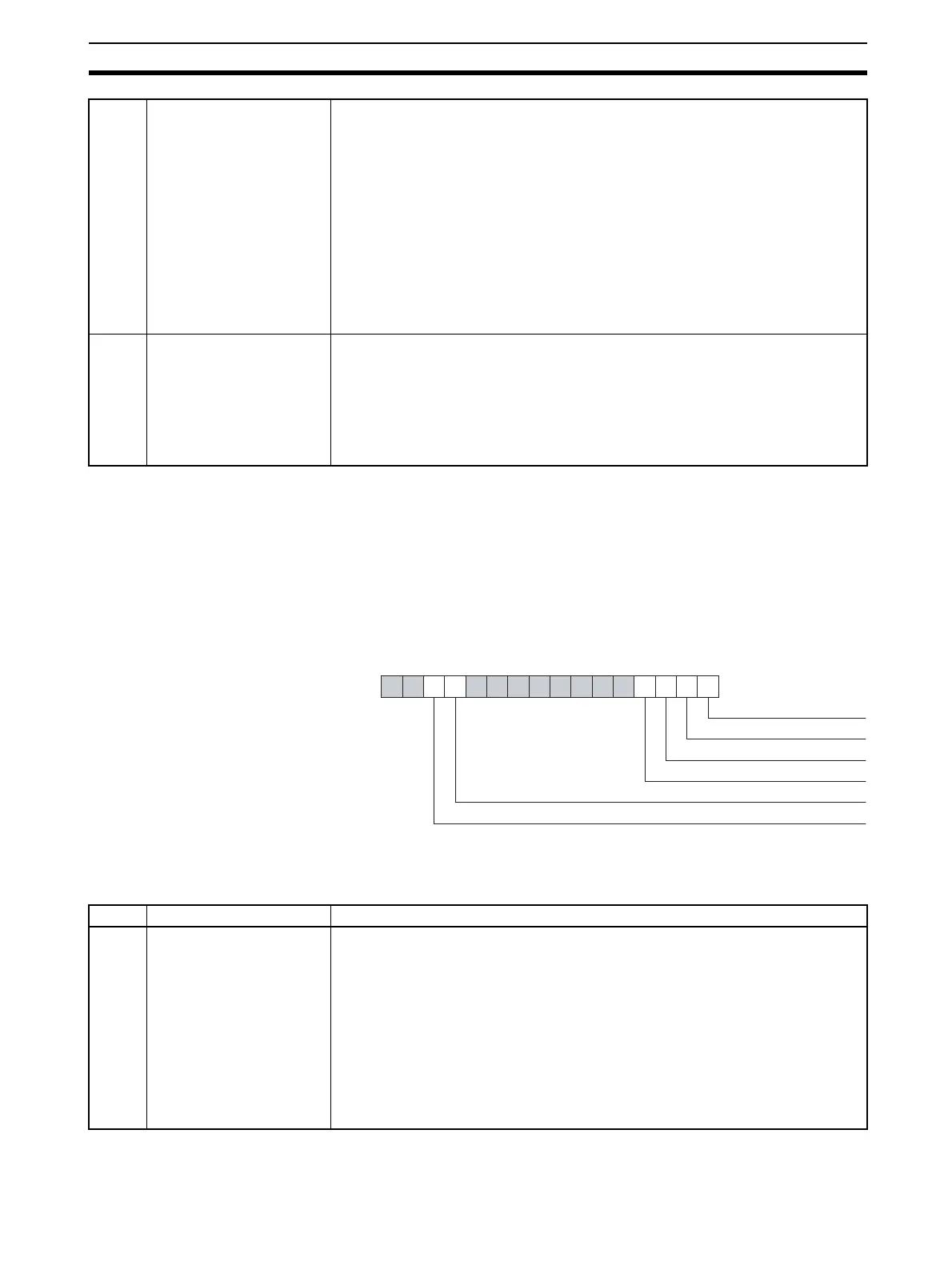
The Master Status 2 Word (CIO Word n+6) contains error indications on the
PROFIBUS interface and network. The figure below shows the Master Status
2 Word layout. The corresponding bit flag will turn ON if an error event has
occurred.
Note n = CIO 1500 + (25 x unit number).
09 File read error An error has occurred, when loading the configuration from the non-volatile mem-
ory to the volatile memory at start up. Most likely cause is a failure or interruption
during the writing process.
Most likely causes:
• A failure or interruption during the writing process.
• A failure during the reading process.
• A faulty Memory Card.
To correct this:
• Check the Memory Card for faults.
• Restart the PLC Unit, to re-download the configuration.
• If the problem persists, use CX-Profibus to re-download the configuration.
• If the problem persists, replace the PROFIBUS-DP Master unit.
13 Error Log storage error An error has occurred, when writing the error log to the non-volatile memory, or
when reading the error log from non-volatile memory during start up.
Most likely causes: A failure or interruption during the writing process.
To correct this:
• Send an ERROR LOG CLEAR FINS command to the Unit.
• Restart the Unit.
• If the problem persists, replace the PROFIBUS-DP Master unit.
1514131211109876543210
Word n+6
Disturbed bus error
PROFIBUS protocol error
Double Master address error
Hardware error
Mode command error
Parameter error
Bit Name Description / Correction
00 Disturbed bus Error An error has occurred in the PROFIBUS interface, with distorted messages
received by the PROFIBUS-DP Master Unit.
Most likely causes:
• No or invalid termination or no inductors used at high baud rates.
• Faulty wiring.
To correct this:
• Check the termination on the appropriate stations.
• Restart the PLC Unit, to re-download the configuration.
• If the problem persists, use CX-Profibus to re-download the configuration.
• If the problem persists, replace the PROFIBUS-DP Master unit.








 To Next Page