57
CX-Profibus
Section 3-2
cation is listed as a sequence of function calls from the CX-Profibus to a DTM
and vice versa.
Note The FDT Monitoring window is hidden by default. After starting CX-Profibus,
the window will be displayed, by selecting the View - FDT Monitoring option
from the main menu.
The purpose of the FDT Monitoring window is troubleshooting in case prob-
lems occur with third party DTMs. The contents of the window can be copied
to the clipboard, to allow it to be pasted in to another document or in to an E-
mail. The messages themselves as well as the sequence of messages may
hold additional clues in case of problems.
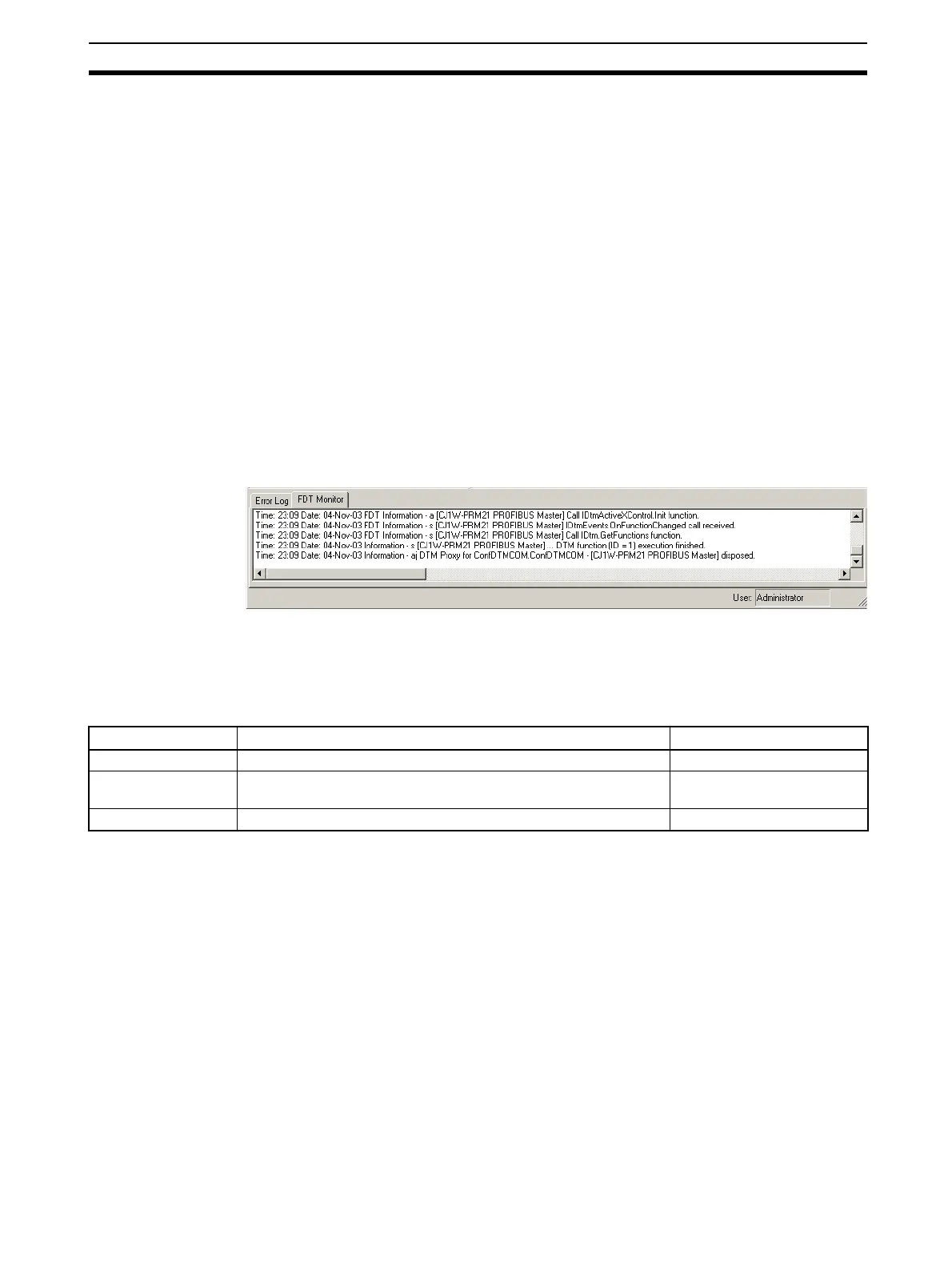
The format used in the FDT Monitoring Window is
Time:
<Time>
Date:
<Date>
-
<Information Type>
<message>
The message may include the name of the DTM involved in the communica-
tion.
The figure below shows an example of an FDT Monitoring message
sequence. This example sequence is generated when opening a CJ1W-
PRM21 PROFIBUS-DP Master Unit DTM.
By right-clicking the mouse cursor in the FDT Monitoring window, a context
menu is displayed. This context menu provides the options listed below.
FDT Monitoring Window Context Menu
3-2-9 Access Control and User Management
The FDT Standard defines four access levels and two attributes for FDT Con-
tainer applications, which can be used to restrict access to the program or
certain features thereof for unauthorized personnel. The actual use of the
restrictions also depends on the application.
CX-Profibus implements the four levels as well as one of the attributes. These
levels are listed below.
• Observer
• Operator
• Maintenance
• Planning Engineer
• Administrator
The access rights per level are defined in the table below.
Menu item
Description
Equivalent menu command
Clear all entries Clears the entire FDT Monitoring window. ---
Copy to clipboards Copies the entire contents of the FDT Monitoring window to the
clipboard
---
Hide Hides the FDT Monitoring window. View - FDT Monitoring








 To Next Page