29
Installing the PROFIBUS-DP Master Unit
Section 2-2
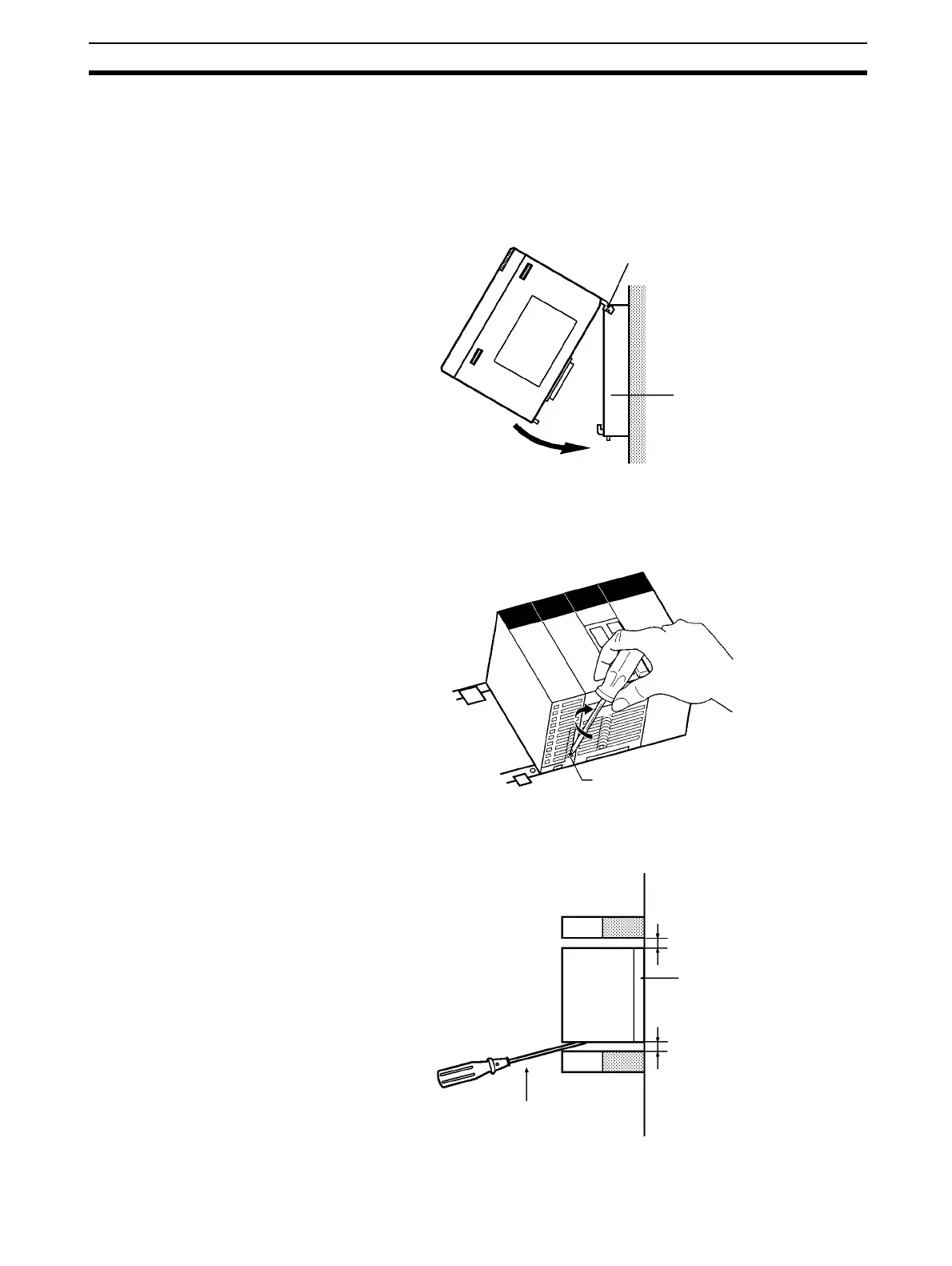
Mounting Procedure Mount the CS1W-PRM21 PROFIBUS-DP Master Unit to the Backplane using
the following procedure.
!Caution Always turn OFF the power supply to the PC before mounting or dismounting
a Unit or connecting or disconnecting cables.
1,2,3...
1. Hook the claw on the top of the Unit onto the Backplane.
2. Insert the Unit into Backplane connectors and securely tighten the screw
at the bottom of the Unit. Tighten the screws to a torque of 0.4 N•m.
3. When removing the Unit, first loosen the screw at the bottom of the Unit.
Note When mounting the Unit, provide the clearance shown below to facilitate easy
mounting or dismounting.
Claw
Backplane
Fixing screws
Duct
20 mm min.
Backplane
Duct
20 mm min.
Philips screwdriver








 To Next Page