59
CX-Profibus
Section 3-2
access levels do not have access to this menu option. The selection opens
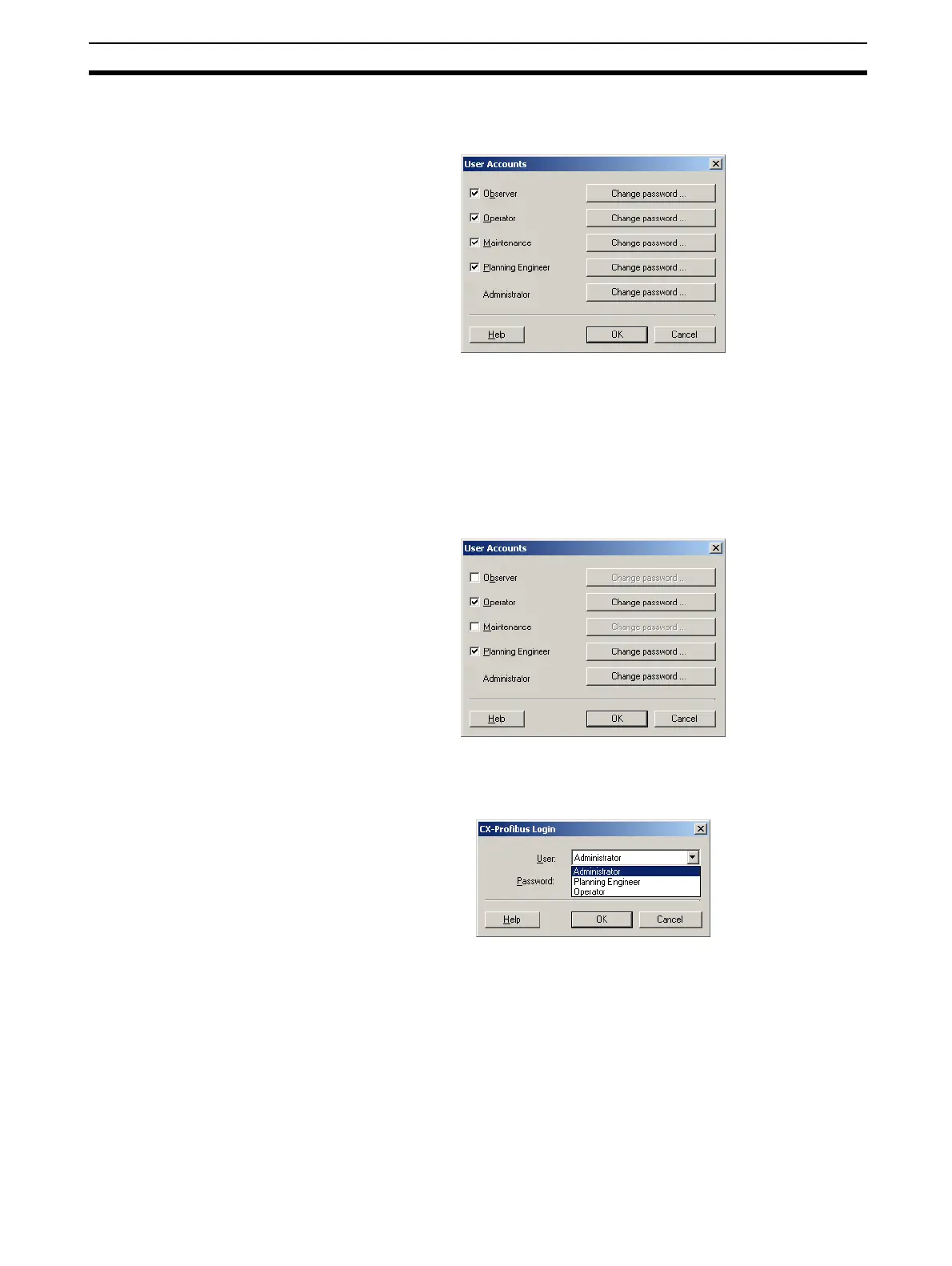
the User Accounts window, as shown below.
Changing access rights By selecting the check box next to a level, the Administrator can grant access
rights to CX-Profibus, i.e. the checked levels can start and access CX-Profi-
bus. If a check box is not selected, the corresponding level can not be used to
start CX-Profibus, and it will not appear in the drop down list in the login win-
dow.
For example, in the window below the Observer and Maintenance levels are
unchecked.
The next time CX-Profibus is started, the Observer and Maintenance access
levels are not available in the login window, as shown below.
The Administrator level has always access and can not be disabled in the
User Accounts window.
Changing the passwords In order to change a specific password, select the Change password button
in the User Account window, next to the related access level. The level must
be enabled by selecting the check box to the left of it. Pressing the Change
password button opens a window allowing then entry of a new password. As
an example the window below shows the Change password window for the








 To Next Page