63
PROFIBUS-DP Master DTM
Section 3-3
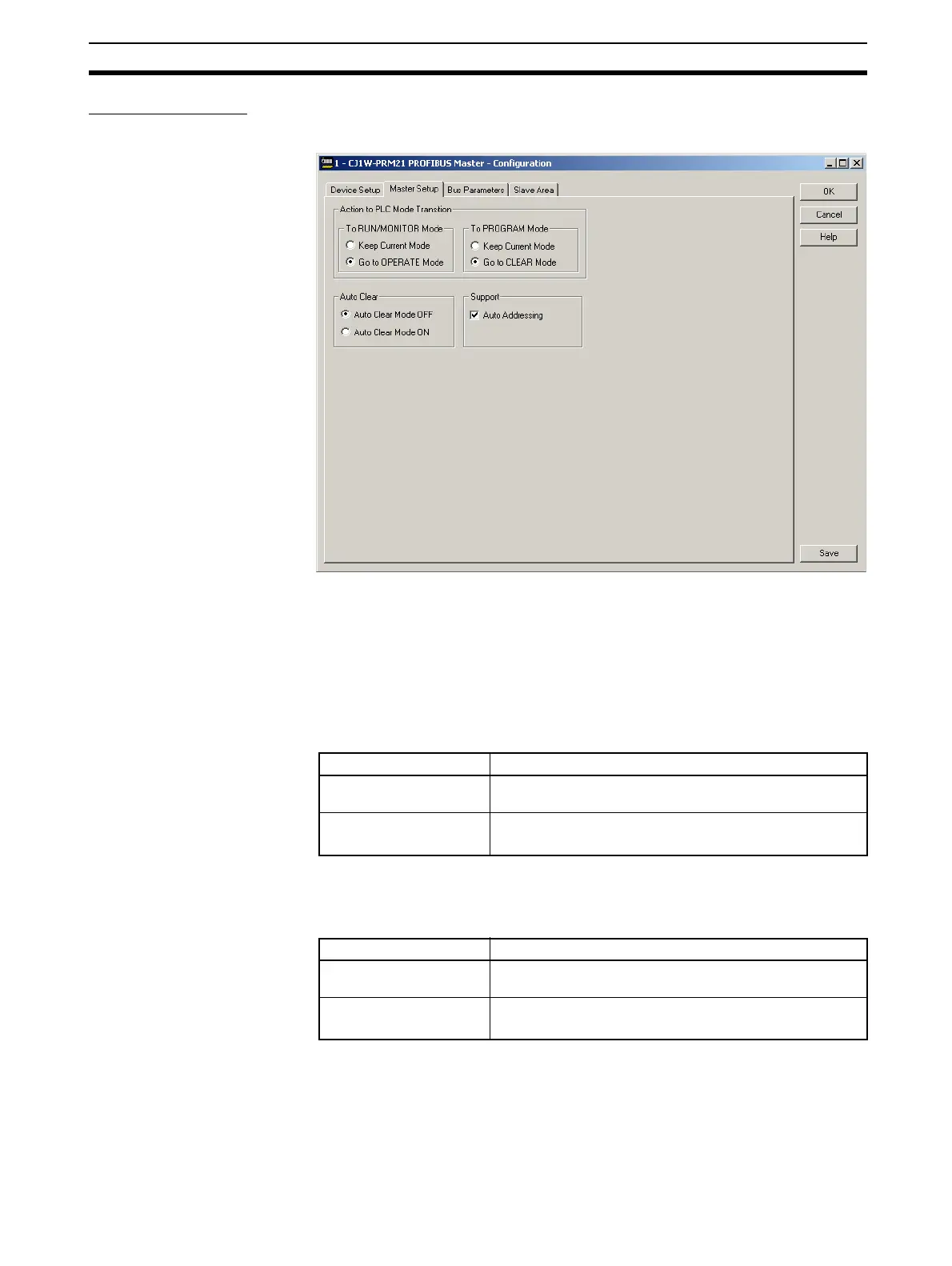
Master Setup Tab The Master Setup tab contains settings regarding the behavior of the PROFI-
BUS-DP Master Unit itself. The Master Setup tab is shown below.
Action to PLC Mode
Transition Box
The Action to PLC Mode Transition Box defines the behavior of the Unit on
the PROFIBUS network, in case a PLC mode change occurs. The check
boxes define how the Unit should behave in case the PLC mode is changed
from RUN / MONITOR mode to PROGRAM mode, or vice versa.
Change PLC to RUN/
MONITOR Mode
The table below defines the behavior in case the PLC changes to RUN /MON-
ITOR mode.
Change PLC to PROGRAM
Mode
The table below defines the behavior in case the PLC changes to PROGRAM
mode.
Auto-CLEAR Box Auto-CLEAR defines the Unit’s behavior in case an error occurs in one of the
allocated slave stations, which causes it to stop data exchange with the Mas-
ter Unit. If Auto-CLEAR is enabled, the Unit will automatically transition to the
CLEAR state and force all its allocated slave stations to the ‘safe’ state, i.e. all
outputs are set to 0.
Control Description
Keep Current Mode Unit keeps the current mode if the PLC goes to RUN /
MONITOR mode (e.g. stay in CLEAR mode).
Go to OPERATE Mode
(default setting)
The Unit goes to the OPERATE mode whenever the PLC
goes to the RUN / MONITOR mode.
Control Description
Keep Current Mode Unit keeps the current mode if the PLC goes to PRO-
GRAM modem (e.g. stay in OPERATE mode).
Go to CLEAR Mode
(default setting)
The Unit goes to the CLEAR mode whenever the PLC
goes to the PROGRAM mode.








 To Next Page