EasyManua.ls Logo

Omron NT21 - User Manual

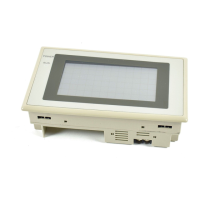
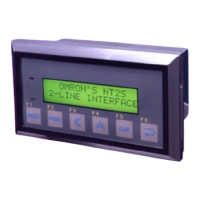
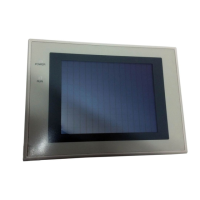
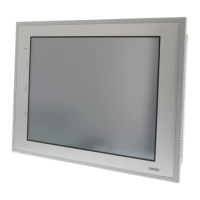
Omron NT21
480 pages
Print Icon
To Next Page IconTo Next Page
Loading...
Programmable Terminals
Cat. No. V069-E1-03
NT21, NT31, and NT631 Series
Reference Manual

Table of Contents

Other manuals for Omron NT21

Questions and Answers

  • J
    James AlvaradoSep 1, 2025
    What causes incorrect numeral/text display on Omron NT21?
    • T
      Tracy EricksonSep 1, 2025
      An incorrect numeral or text display on Omron Touch terminals can stem from several causes. If the memory table entry is allocated words in the host, the display updates according to the host memory contents; avoid allocating words for fixed-value memory table entries in the host. Another cause could be a drop in battery voltage destroying memory table data (NT21 with optional Battery); replace the battery and initialize the memory table. If the resume function is ON, initial screen data memory values won't write to memory tables (NT21 with optional Battery); initialize the memory table or disable the resume function. Lastly, setting two words in a numeral memory table entry for an indirect address can cause issues; set only one word in the numeral memory table entry.
  • K
    Kristina RoseAug 31, 2025
    Why does the buzzer sound and the RUN indicator turn OFF on Omron NT21?
    • J
      Jacob LucasAug 31, 2025
      If the buzzer sounds and the RUN indicator is OFF on your Omron Touch terminals, it could be due to malfunction from external noise. Another possibility is that the PT has developed trouble, in this case, contact your nearest OMRON representative.
  • J
    John CollinsAug 30, 2025
    Why is nothing displayed on the Omron NT21 Touch terminals screen?
    • T
      Timothy CharlesAug 30, 2025
      If nothing is displayed on the screen of your Omron Touch terminals, it could be due to the screen No. 0 has been read at the host side, so change the screen number. Alternatively, the system startup waiting time may not have elapsed yet; the display will appear after the waiting time has elapsed.
  • M
    Mercedes BurnsAug 29, 2025
    How to troubleshoot communication issues with the Support Tool on Omron NT21?
    • D
      David SimmonsAug 29, 2025
      If you're experiencing communication issues with the Support Tool on your Omron Touch terminals, there are a few potential causes. First, the Transmit mode may not have been established; display the System Menu and select the Transmit mode. Second, you may not be properly connected to the Support Tool; check the installation of the connector cable. Finally, the PT model setting and direct connection setting at the Support Tool might not match the NT21, NT31/NT31C, or NT631/NT631C; use the PT Configuration settings of the Support Tool to set the PT model and direct connection settings that match your device.
  • C
    Christopher GomezAug 28, 2025
    What to do if the Omron Touch terminals touch panel does not respond?
    • C
      Courtney VangAug 28, 2025
      If the touch panel on your Omron Touch terminals is unresponsive, it could be due to malfunction from external noise. Another possibility is that the touch panel is broken. To check this, test the touch panel with I/O Check in the MAINTENANCE MODE menu. If there is an error, contact your nearest OMRON representative.
  • A
    Andrew MartinezAug 27, 2025
    How to brighten the display on Omron NT21?
    • A
      Angela DeckerAug 27, 2025
      If the display on your Omron Touch terminals appears dim, it could be due to insufficient contrast or brightness. For the NT31/NT31C or NT631/NT631C models, you can use the system menu to increase the contrast and/or brightness. For the NT21 model, use the switches on the back of the PT to increase the contrast. (Note that the brightness cannot be adjusted on the NT21.) Another potential cause is a defective or expired backlight. For the NT31/NT31C or NT631C models, replace the backlight. For the NT21, contact your nearest OMRON representative.
  • R
    Raven AndersonAug 27, 2025
    Why is updating of numeric values and text delayed on Omron Touch terminals?
    • L
      Lucas HicksAug 27, 2025
      Several factors can cause delays in updating numeric values and text on Omron Touch terminals. The issue could be due to malfunction from external noise. Another possible cause is having too many numeral/text displays on the displayed screen; try reducing the number of these displays on the screen experiencing delays. Additionally, the host cycle time might be extended due to heavy processing at the host; attempt to shorten the host cycle time. Finally, in an RS-422A/485 connection, incorrect wiring or an erroneous terminator setting can lead to delays; ensure the wiring is correct.
  • J
    Jonathan LopezAug 25, 2025
    How to fix Omron NT21 Touch terminals when the power indicator fails to come ON?
    • A
      Albert SchmidtAug 26, 2025
      If the power indicator on your Omron Touch terminals fails to illuminate, the issue may stem from two potential causes. First, there might be a problem with the power supply. Check the connections to ensure that power is being supplied correctly. Second, the power supply fuse may have blown. In this case, you should contact your nearest OMRON representative.

Summary

SECTION 1 General

1-1 Role and Operation of the PT

Introduces the fundamental role and operation of Programmable Terminals (PTs).

1-2 Functions of the NT21, NT31;NT31 C and NT631;NT631 C

Details the features, comparisons, and principal functions of the NT series terminals.

1-3 System Configuration

Explains the system configuration and peripheral devices connectable to the PTs.

1-4 Communications with the Host

Covers various communication methods for connecting the PT to a host system.

1-5 Communication by Using Memory Links

Describes communication using memory links, a method other than direct connection.

1-6 Before Operating

Provides essential steps and considerations before operating the PT.

SECTION 2 PT Functions

2-1 PT Screens

Describes the PT screens which form the basis of PT functions.

2-2 Areas for Control;Notification

Explains the areas provided for PT control and status notification between PT and host.

2-7 Touch Switches

Details input from the touch panel, allowing screen switching and bit information transmission.

2-11 Alarm List, Alarm History

Explains monitoring host bits and displaying messages or image/library data when a bit changes to ON.

2-12 Inputting Numeric Values

Details the procedure for inputting numeric values using numeral input fields or thumbwheel switches.

2-13 Inputting Character Strings

Explains inputting character strings using touch switches or a bar code reader.

2-14 Recipes

Describes writing and reading data in table format to/from the host, allowing multiple settings to be managed.

2-16 Special Functions

Covers display history, alarm history, resume, screen saver, buzzer, clock, print, contrast/brightness, programming console, and device monitor.

2-17 Device Monitor Function

Details the Device Monitor function for reading/changing PC data and displaying PC error logs.

SECTION 3 How to Use the PT

SECTION 4 Using Memory Link

SECTION 6 Troubleshooting and Maintenance

6-1 Troubleshooting

Guides on actions to take when PT errors occur, by matching symptoms to remedies.

6-2 Responding to Displayed Error Messages

Details how to respond to various error messages displayed on the PT.

Appendix B Compatibility with Screen Data of Other PT Models

Appendix C NT20 S and NT30;620 Compatible Modes

Omron NT21 Specifications

General IconGeneral
Display TypeSTN monochrome LCD
Display Size5.7 inches
Resolution320 x 240 pixels
Touch PanelAnalog resistive
Communication PortsRS-232C, RS-422/485
Power Supply24 VDC
Operating Temperature0 to 50°C
Storage Temperature-20 to 60°C
Weight0.8 kg
Memory512 KB

Related product manuals