Omron TM Collaborative Robot: Conveyor Tracking User’s Manual 38
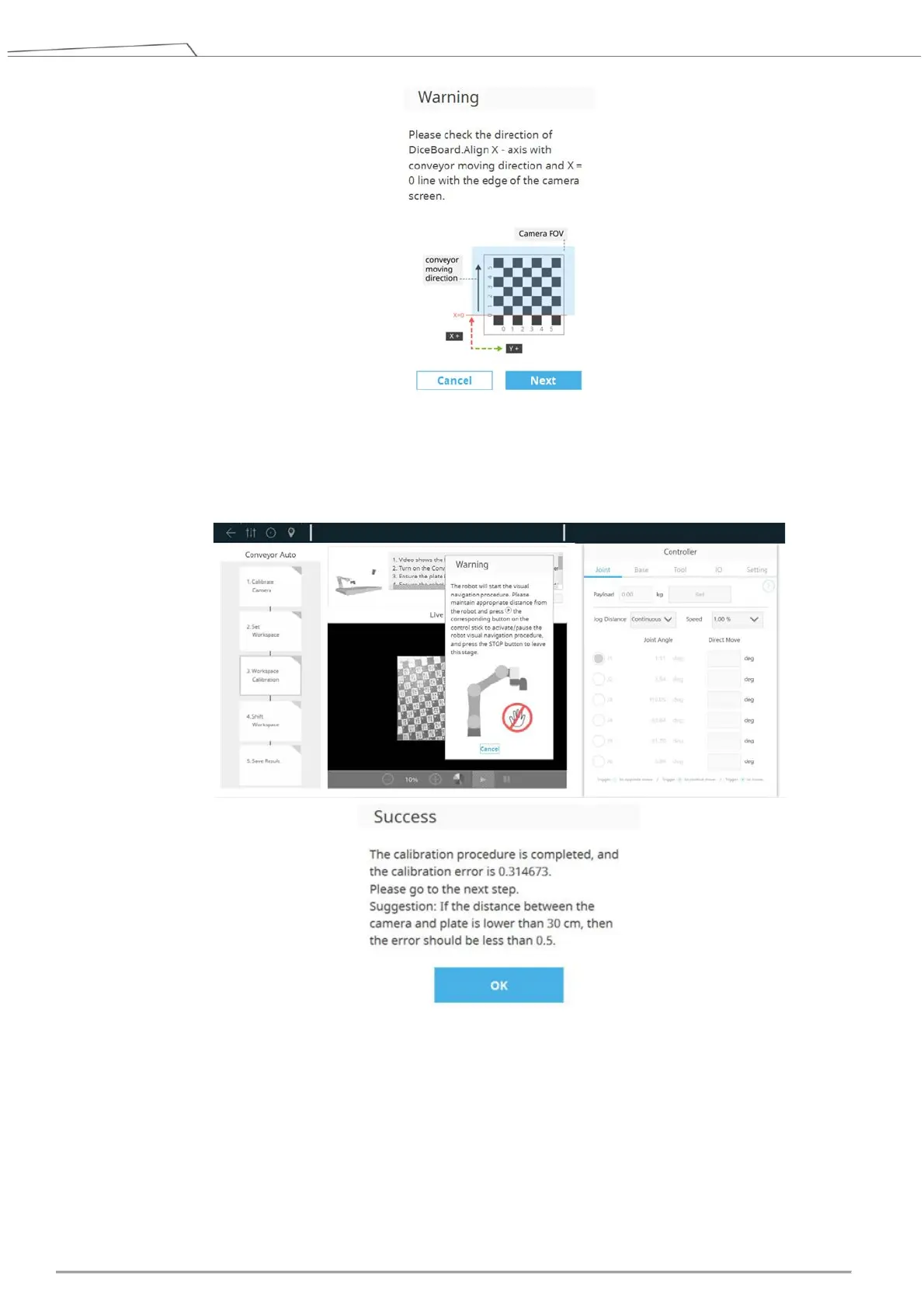
Figure 30: Set Workspace
Calibrate Workspace: Follow the instructions on the screen, and move the robot above the
calibration board. Then press the PLAY button on the robot stick to start visual navigation.
Figure 31: Calibrate Workspace
Shift Workspace: In this step, users have to turn on the conveyor again and make the calibration
board shift to another position. Then press the PLAY button on the robot stick to start visual
navigation.









 To Next Page