Section 2 Functions
High-speed Traveling Mode
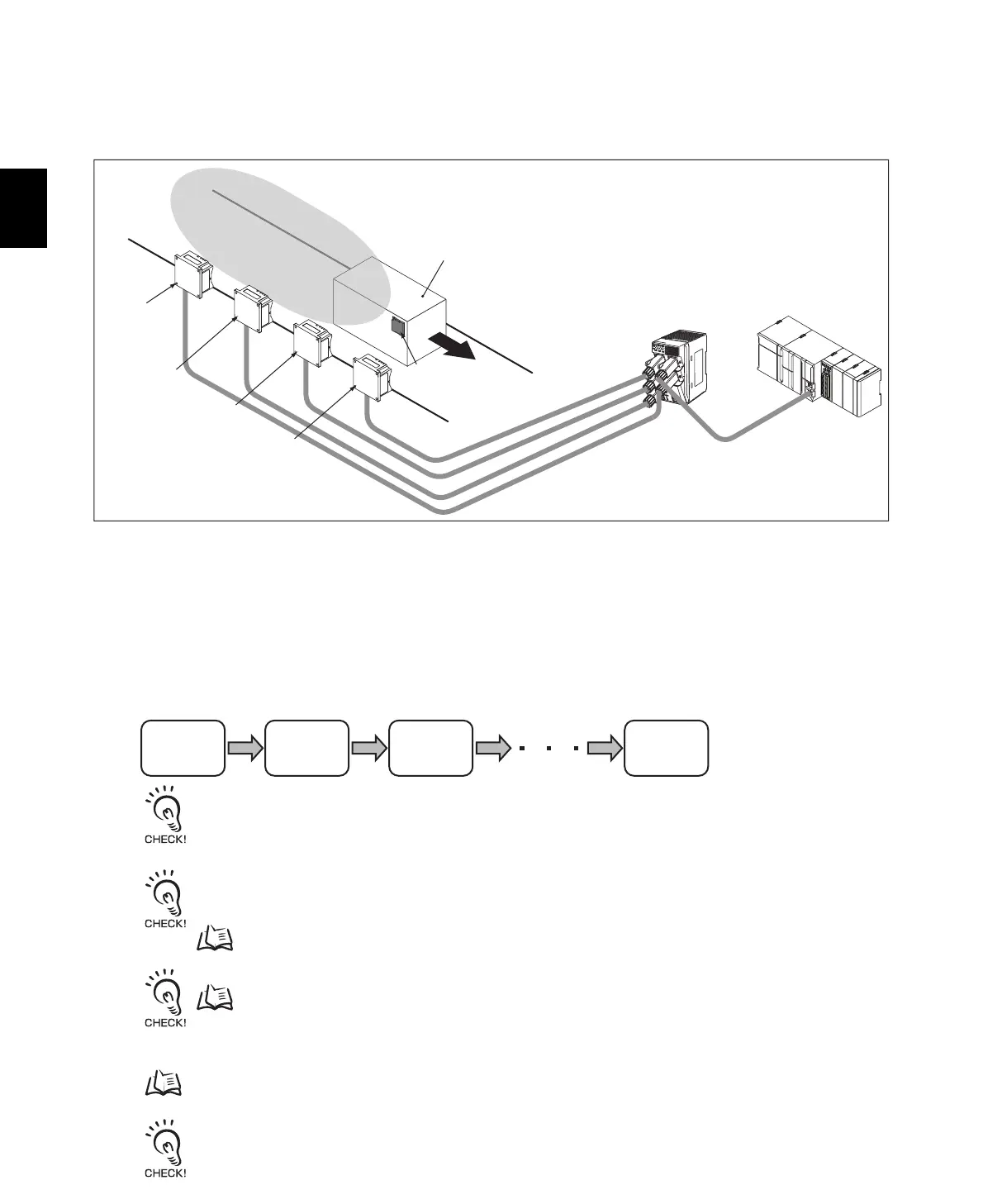
You can read large data sizes from RF Tags because the data is split up and read by more than one
Reader/Writer on a time-sharing basis while the workpiece is moving.
We recommend that you use this mode when reading data from RF Tags that are moving on a
production line.
For example, if you link four Reader/Writers and each Reader/Writer can read only 25 words, you can
read 100 words of data with the four linked Reader/Writers.
To use the High-speed Traveling Mode, the Master Reader/Writer and Slave Reader/Writers must be
set according to their positions.
Read processing is executed in the following order.
Always set the first Reader/Writer to read data as the Master Reader/Writer. Then set the other Reader/Writers to read
data in order from Slave No. 1, Slave No.2, etc.
Refer to RF Tag Communications Range (for Reference Only) in Section 8 Appendices and install the Reader/Writers
so that the communications fields do not overlap. If the Reader/Writers are installed to close to each other, the reading
speed will decrease.
p.221
Refer to Travel Speed Calculations in Section 8 Appendices and set the workpiece travel speed.
p.231
For details, refer to Using High-speed Traveling Mode in this section.
p.69
In High-speed Traveling Mode, the Master Reader/Writer must be located first.
PLC
Switching Hub
Workpiece
RF Tag
Master
Reader/Writer
Slave
Reader/Writer
No. 1
Slave
Reader/Writer
No. 2
Slave
Reader/Writer
No. 3
Master
Reader/Writer
Slave
Reader/Writer
No. 1
Slave
Reader/Writer
No. 2
Slave
Reader/Writer
No. 7



 To Next Page
 Loading...