Maintenance Functions - 119
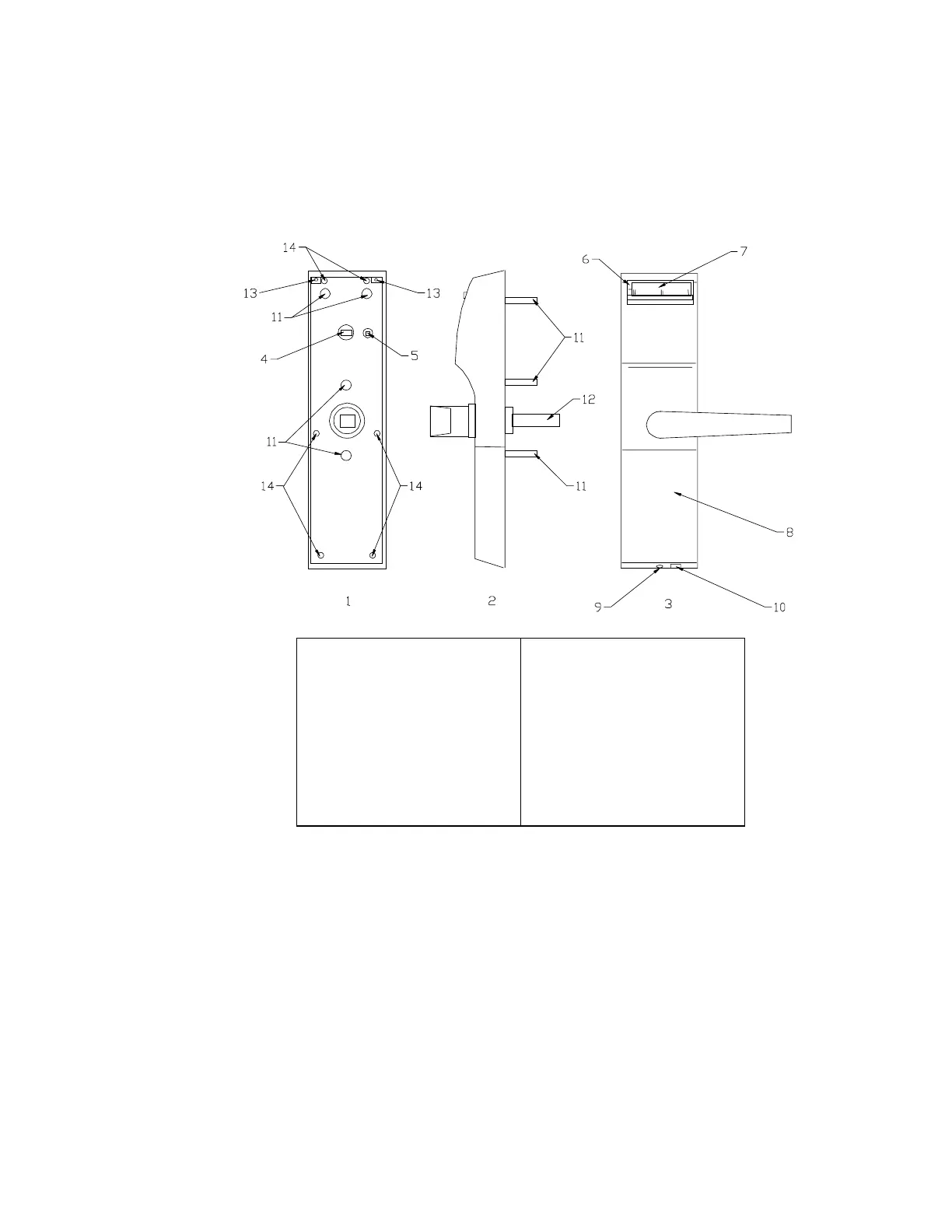
Figure 9 – Lock Components
Using the HT24 Lock
The lights only operate when a
card is inserted and removed.
They do not glow continuously.
To operate the guestroom lock, insert and remove
the card. The LEDs located to the immediate left of
the card slot will display one of the following
indications:
1. Green Light – Valid Opening. Operate the
handle to gain access to the room.
1. Rear View
2. Side View
3. Front View
4. Privacy Connector
5. Clear Button
6. Green and Red LED
7. Card Slot
8. Battery Cover
9. Battery Cover Screw
10. Portable Programmer
Jack
11. Mounting Posts
12. Spindle
13. Reader Cover Screws
14. Back Plate Screws



 To Next Page