Using the HT22 System - 16
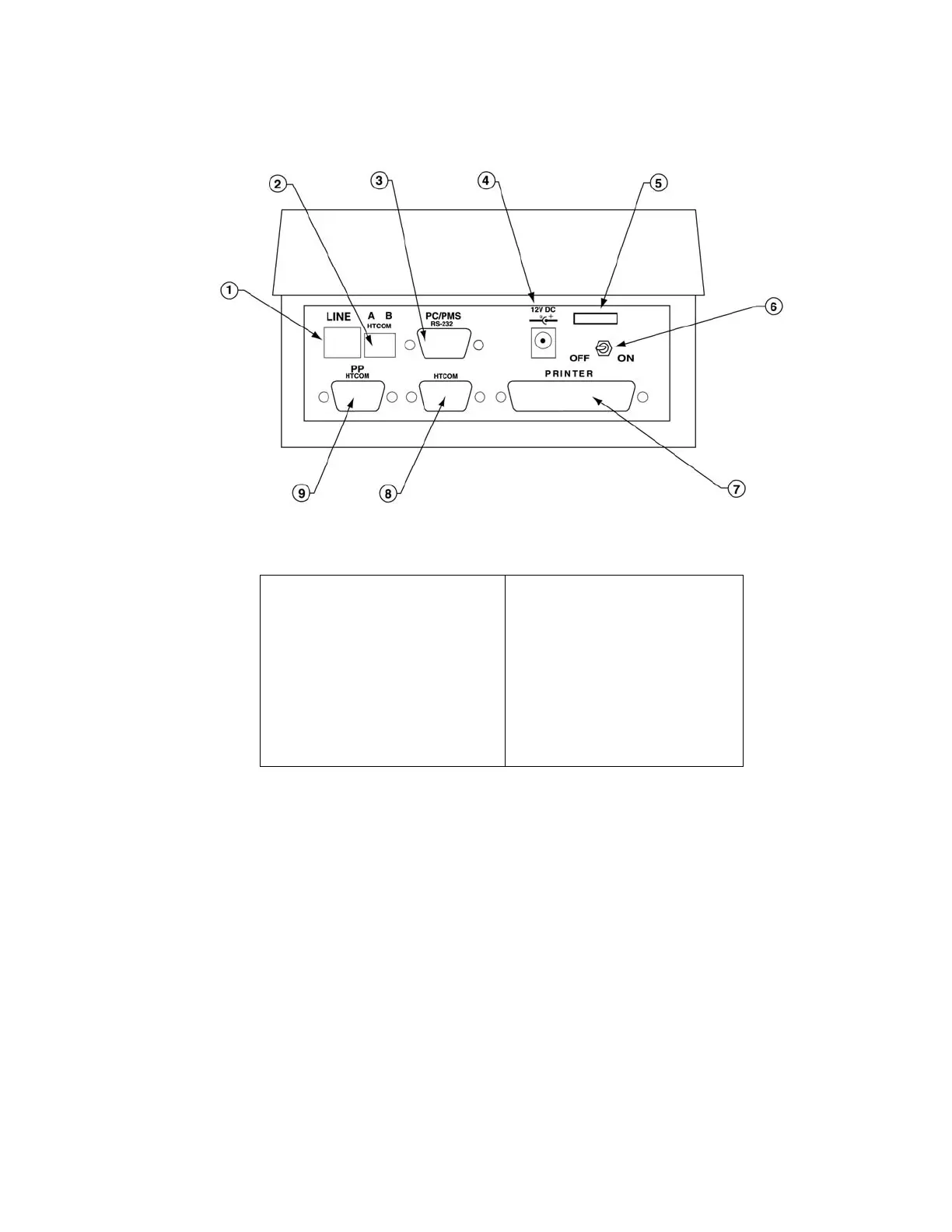
1. Telephone Line Jack
2. HTCOM Connector for
On-line Controllers
3. RS232 Serial Port
4. Power Connector
5. Strain Relief for Power
Cord
6. Power Switch
7. Connector for Parallel
Printer
8. HTCOM Connector for
Encoders
9. HTCOM Connector for
PP and Encoders
Figure 2 – Rear Panel Connections
For the purpose of the training, we will set up the
Encoder(s), the PP and the Printer. We will also
initialize the Sample Mounted Lock to use throughout
the training.
Power Supply
A plug-in power transformer is supplied by Onity.
Simply Plug this transformer into the wall outlet or



 To Next Page